Reports and analytics
Gym reports and analytics
See what you sold, who came in and what each coach earned, for the dates you pick, and how sales and visits compare with the period before. Export what your accountant needs.
On every plan, Free included
Sales and transactions
Revenue reports
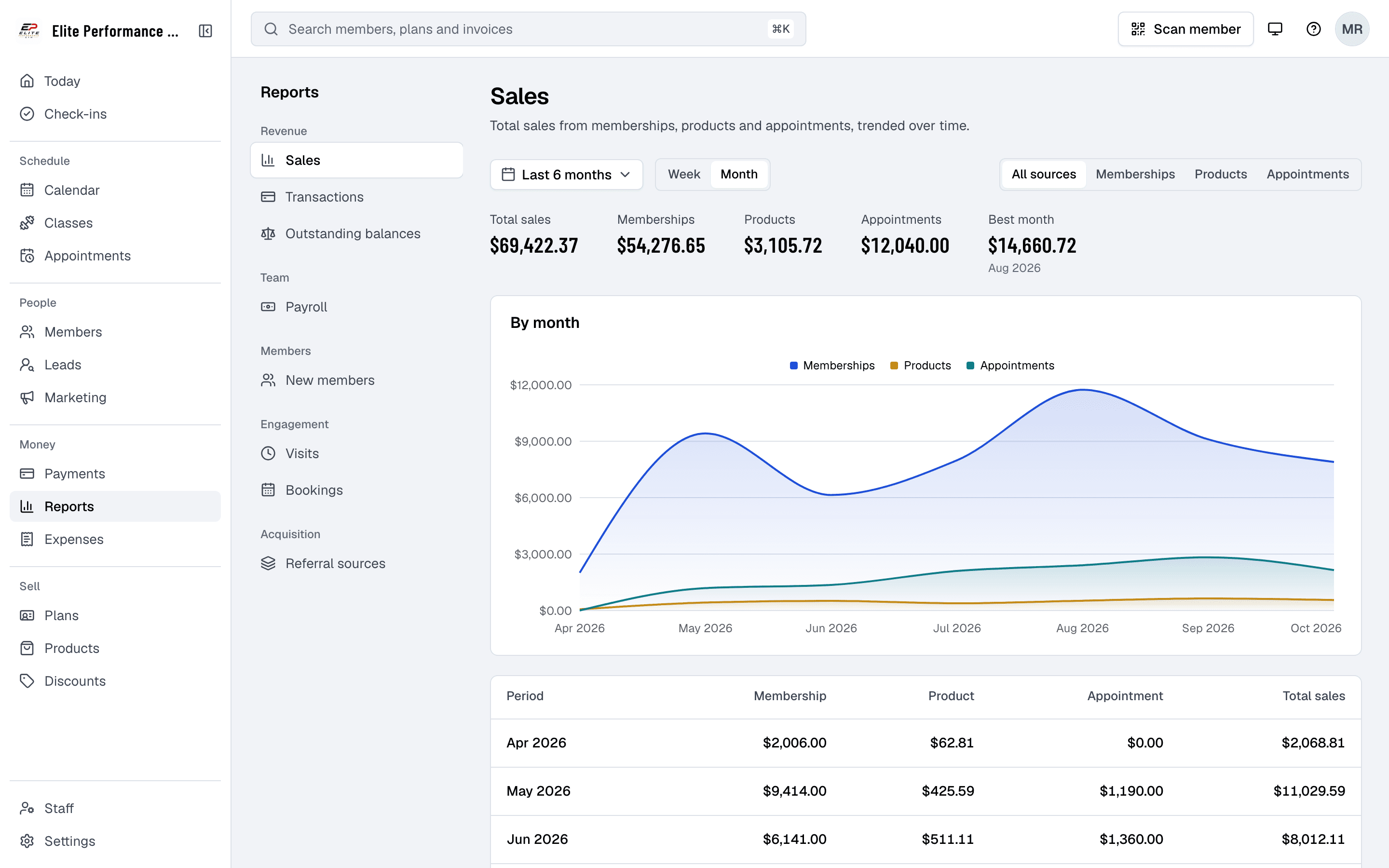
Finegym’s detailed revenue reports provide gym owners with a clear view of their financial performance. With insights into membership sales, products, appointments and refunds, gym owners can monitor their revenue and make informed financial decisions.
- Membership and session payments
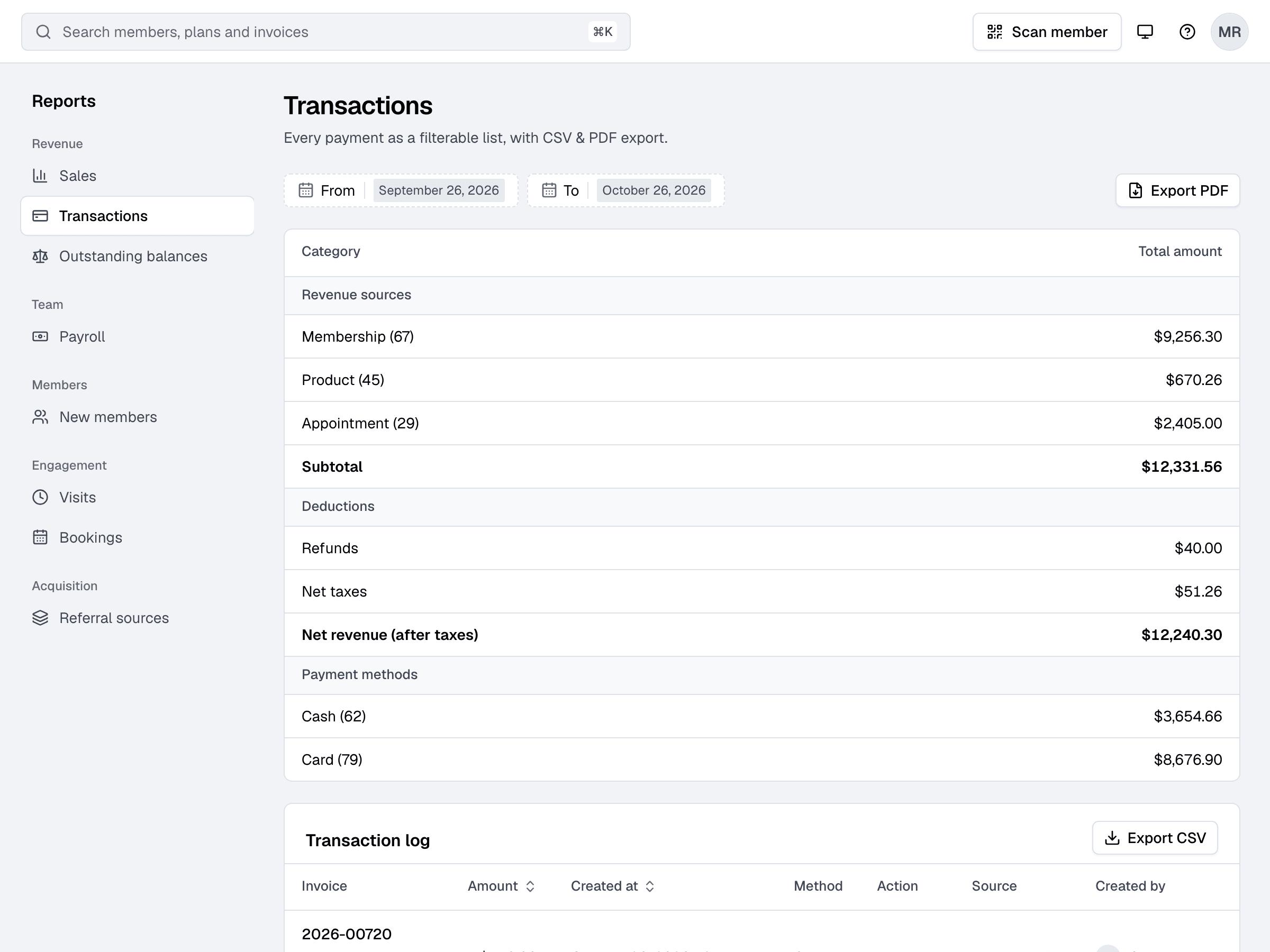
- Track sales from memberships, products and appointments in the Sales report, and every payment and refund in Transactions, to get a clear picture of your gym’s financial health.
- Real-time revenue updates
- Get real-time updates on your gym’s revenue, helping you stay informed and react quickly to changes in income.
- Revenue breakdown by time period
- View revenue reports for specific time periods (daily, weekly, monthly) to monitor trends and identify peak business periods.
Visits and bookings
Attendance reports
Get valuable insights into how often members are attending classes and personal training sessions. Finegym’s attendance reports help gym owners understand engagement levels and identify trends to improve member retention.
- Class and session attendance tracking
- The Visits report counts every check-in, and the Bookings report every class and appointment booking, to see how often members take part.
- Attendance trends over time
- Track attendance trends over days, weeks, or months to identify busy periods and adjust scheduling accordingly.
- Member-specific attendance history
- Review individual members’ attendance history to understand their engagement and identify opportunities for improvement.

Payroll
What each coach earned
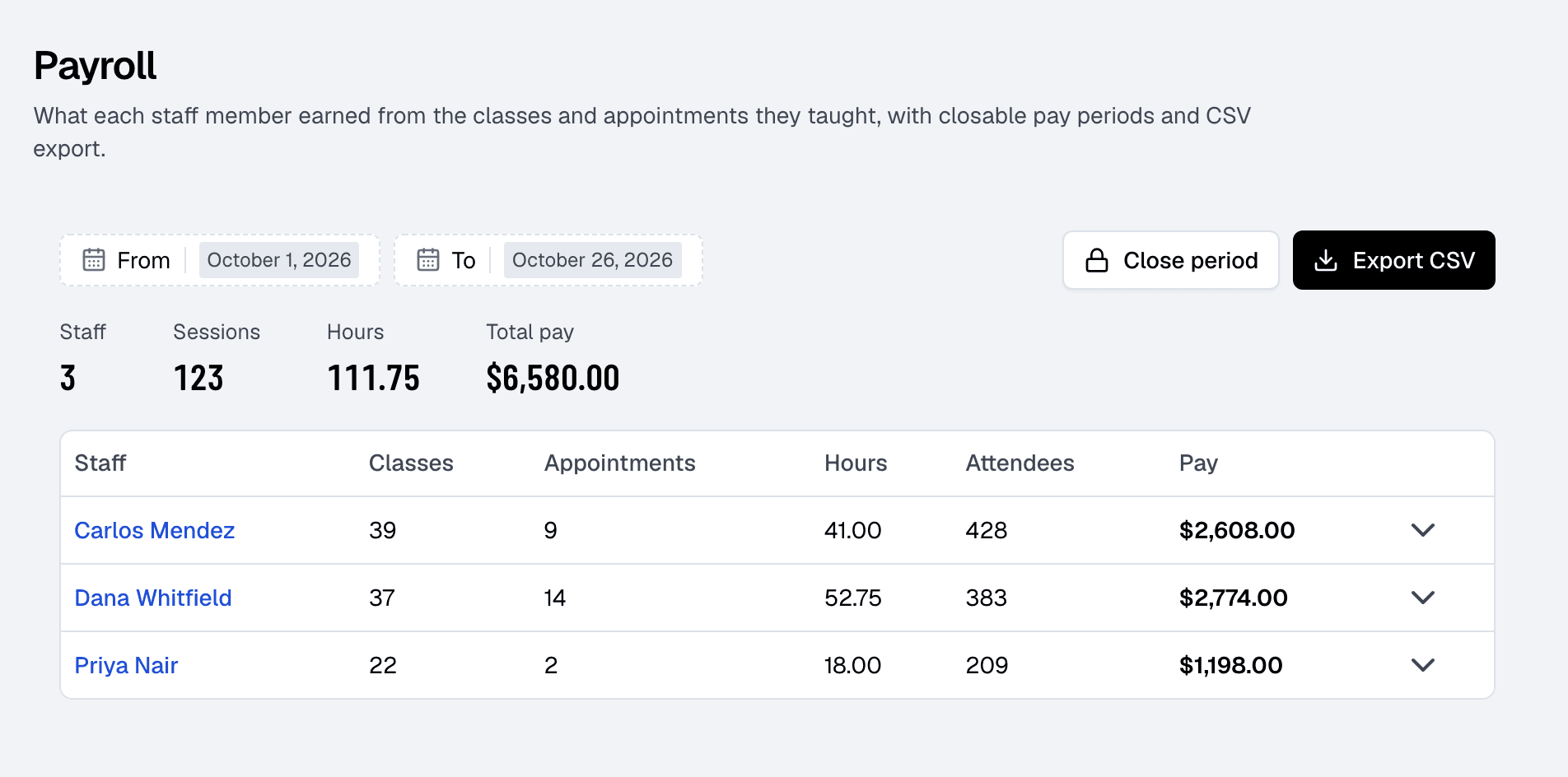
The Payroll report adds up each staff member’s classes, appointments, hours, attendees and pay for any dates, from the pay rates you set. Close a period once you’ve paid them and export it as CSV. Outstanding balances lists who owes what, and exports too.
Every report at a glance
What each report tells you, and what you can export.
Revenue
Gain real-time insights into your gym’s financial performance. Track sales from memberships, products and appointments, compare them with the period before, and view reports by time period.
Attendance
Understand member engagement levels by tracking attendance for classes and sessions. Use attendance trends to improve scheduling and boost member retention.
New members, balances and payroll
See how many members join in New members and how they found you in Referral sources, who owes what in Outstanding balances, and what you owe the staff who taught in Payroll.
Income and expenses
Record your expenses and compare them with what came in, in the Income & expenses report on the Expenses page.
Exports
Download transactions as CSV or PDF, and outstanding balances, payroll, expenses and your member list as CSV, for your accountant or your records.
Related features
Step-by-step guides
How it works in detail, in the Finegym help center.
Which plan do I need?
Free covers the day-to-day. Starter adds integrations, Growth adds marketing and your own branded app. Starter and Growth start with a 30-day free trial, no card needed.
Compare plans- Payments and invoicesProcess payments via Stripe, generate invoices automatically, and track all transactions in one dashboard.
- Expenses and payrollRecord expenses, see income against them month by month, and work out each coach’s pay from the classes and appointments they taught.
- Access control and check-insQR code check-ins, access control integration, and real-time attendance tracking for your facility.
- Marketing automation and campaignsAutomations, one-off campaigns and segments, sent by email, text or app notification. On the Growth plan.
Frequently asked questions
More answers, with steps and pictures, are in the help center. Help Center
Finegym’s reports are Sales, Transactions, Outstanding balances, Payroll, New members, Visits, Bookings and Referral sources, plus Income & expenses on the Expenses page, helping gym owners make data-driven decisions.
Yes. The Sales report splits what you sold into memberships, products and appointments, by day, week or month, and Transactions totals every payment and refund by source and by payment method.
The Visits report counts check-ins and the Bookings report class and appointment bookings over time. You can monitor attendance trends over time and view individual member attendance history on each member’s profile.
Yes. Transactions export as CSV and PDF, and Outstanding balances, Payroll, Expenses and Income & expenses as CSV. You can also download your member list and each plan’s memberships as CSV.
Open on Finegym tomorrow.
Sign up in about two minutes, no card needed, and add your plans, schedule and members at your own pace. Moving from other software? We help for free.