Documents and waivers
Digital waivers and documents for gyms
Collect digital waivers and agreements: members sign in the app, on your website or at the kiosk, and you see who has signed. Require signing before check-in.
On every plan, Free included
Tracking
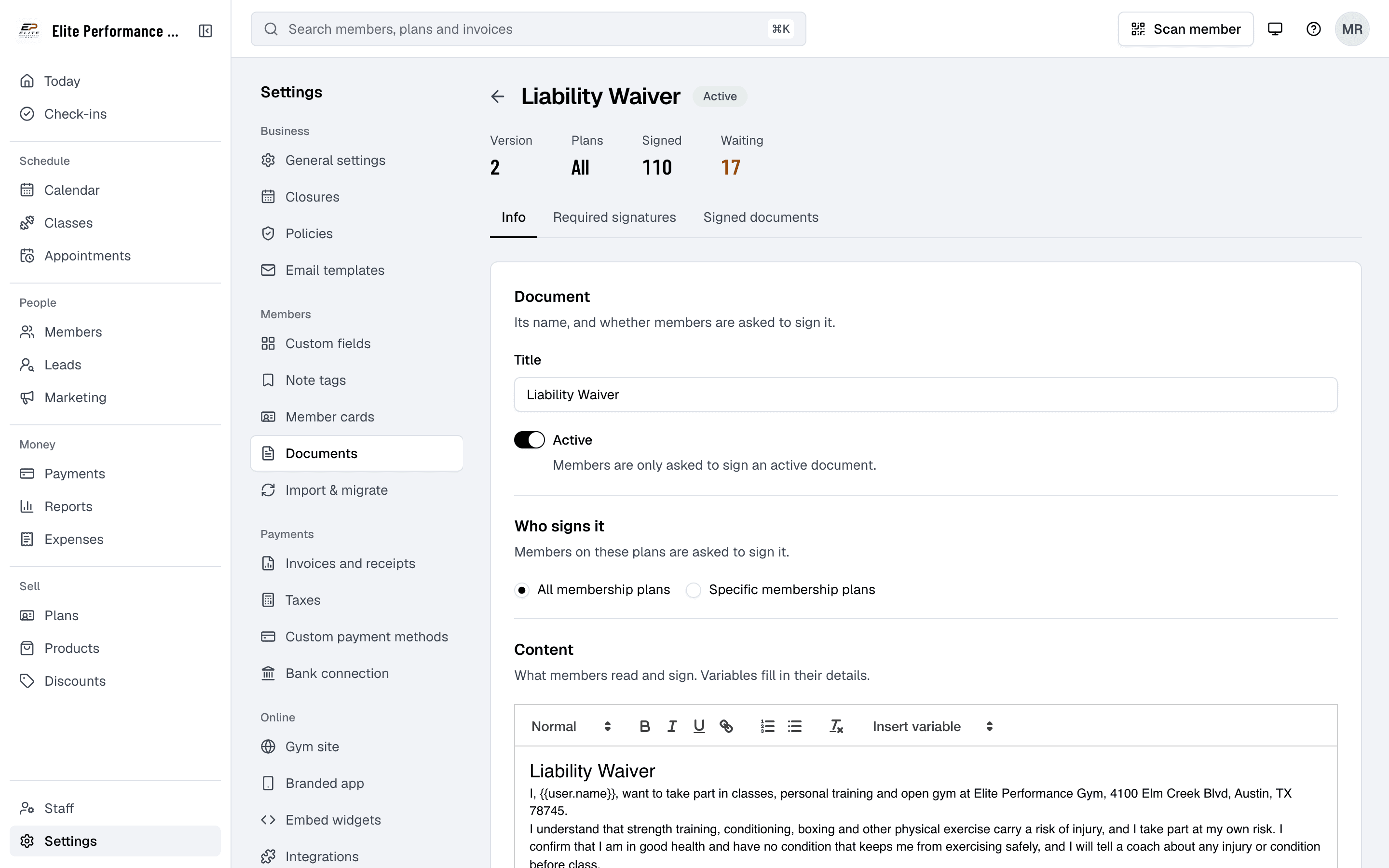
See who has signed, and who hasn’t
Finegym helps gym owners stay on top of member compliance by tracking completed documents. With automatic updates and organized tracking, you can ensure that all members have the necessary documents on file.
- Real-time tracking of signed documents
- See each signature as soon as a member signs, ensuring compliance with gym policies.
- Customizable document templates
- Create and customize documents to suit your gym’s needs, including liability, health, and consent documents.
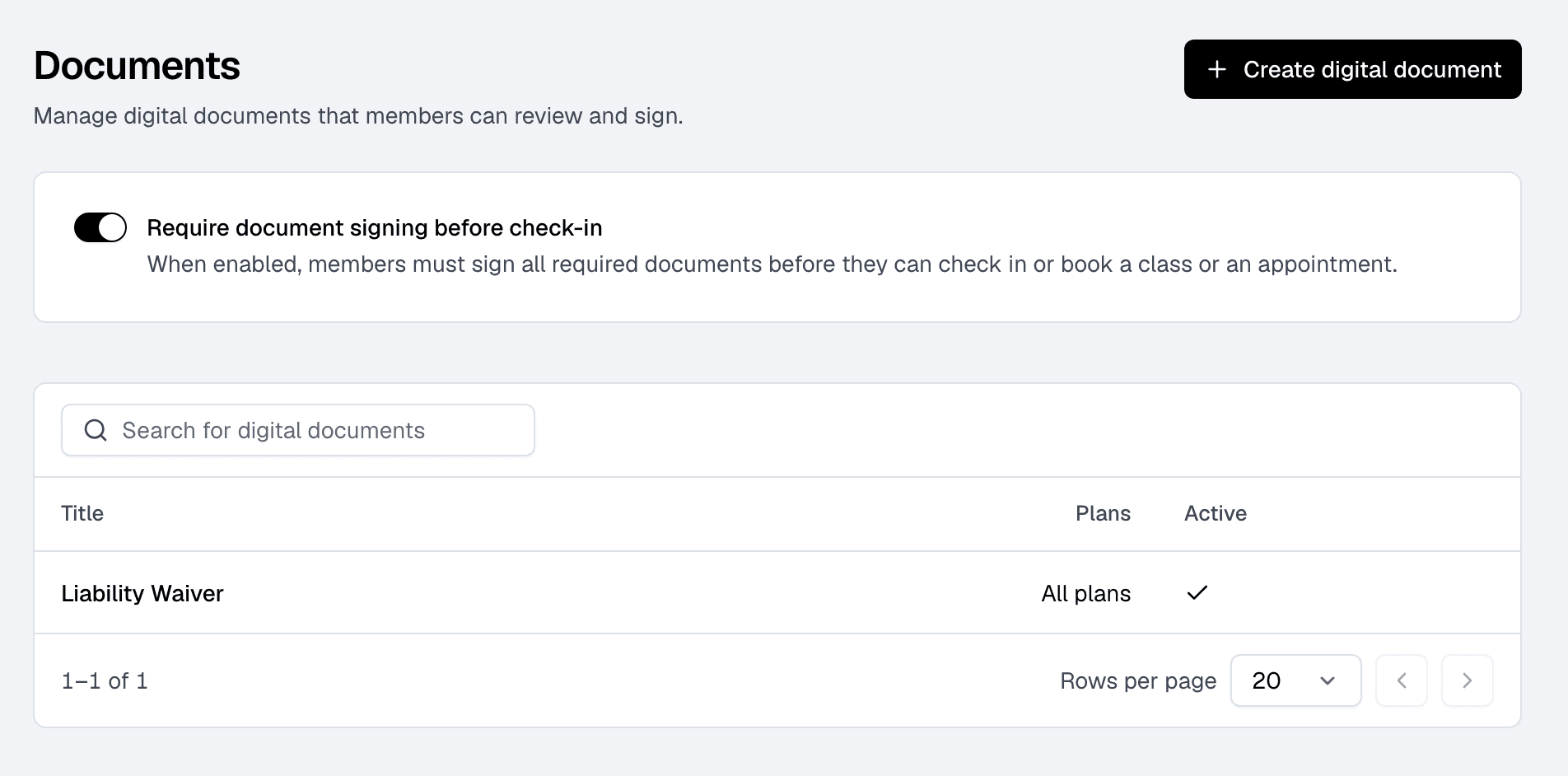
- Require signing before check-in
- Members with a document to sign can’t check in or book until they sign it, so nobody trains before they’ve signed.
Signing
Members sign wherever they are
Finegym’s digital document feature allows members to sign important documents through both the mobile and web apps, with help from the admin when necessary. This ensures a fast and secure signing process, eliminating the need for paperwork.
- Electronic signatures on mobile and web
- Members sign with a finger or mouse in the member app, on your website or at the front desk kiosk, and staff can have them sign on the admin screen.
- Track document status
- Gym owners can track whether documents have been signed, with real-time status updates for each document.
- Paperless processing
- Eliminate the need for physical paperwork and securely store all documents digitally.
- Automatic notifications
- Members get an email (and a text, with Twilio) when a document needs their signature, ensuring timely submission.
In the member app
Under Documents in the menu, with a finger.
On your website
In their account, where Waiting for your signature shows what to sign.
At the front desk kiosk
As they check in, when you require signing first.
On your screen
Staff open the member’s profile and have them sign there.
Storage
Every signed copy, kept
Finegym provides secure digital storage for all documents, ensuring that important member documents are safely stored and easy to access. With secure storage and easy retrieval, you can manage all your documents in one place.
- Secure storage
- Every signed document is stored securely with the date and the version the member signed.
- Easily retrieve documents
- Find any signed document on the member’s profile or on the document’s page, and download it as a PDF.
- Permanent record keeping
- Keep a permanent, organized record of all signed documents: a document someone has signed can’t be deleted.
Related features
Step-by-step guides
How it works in detail, in the Finegym help center.
Which plan do I need?
Free covers the day-to-day. Starter adds integrations, Growth adds marketing and your own branded app. Starter and Growth start with a 30-day free trial, no card needed.
Compare plans- Business policiesPublish your house rules, cancellation and privacy policies, for members to read in the app and from every email.
- Front desk kioskA self-service kiosk where members check in by QR code or PIN, book today’s classes, buy a plan and sign documents, and walk-ins sign up.
- Family accountsOne membership covers a parent and their children, and the parent books, pays and signs for them.
- Membership managementCreate and manage recurring, non-recurring, and punchcard memberships with custom pricing, check-in limits, and validity periods.
Frequently asked questions
More answers, with steps and pictures, are in the help center. Help Center
Yes, members can sign documents digitally through the Finegym mobile app, ensuring a fast and secure submission process.
Yes. Staff can open a member’s profile and have them sign on the admin screen at the desk. Members can also sign on your website or at the front desk kiosk, offering flexibility in how documents are completed.
Each signed document is kept with the date and the version the member signed, on their profile and on the document’s page, and downloads as a PDF. A signed document can’t be deleted.
Yes, Finegym provides real-time tracking of document statuses, so gym owners can see who has signed and who still needs to complete their documents.
Yes. When a member has a document to sign, Finegym emails them (and texts them, with Twilio), and the app and website show it waiting. You can also require signing before check-in.
Open on Finegym tomorrow.
Sign up in about two minutes, no card needed, and add your plans, schedule and members at your own pace. Moving from other software? We help for free.