Leads
Track every lead from first question to new member
Everyone interested in your business lands in one list: questions from your inquiry form, website sign-ups, people who called or walked in, and, with Zapier, leads from your ads. Give each one an owner and a day to follow up, and Finegym moves them along as they book and buy.
On every plan, Free included
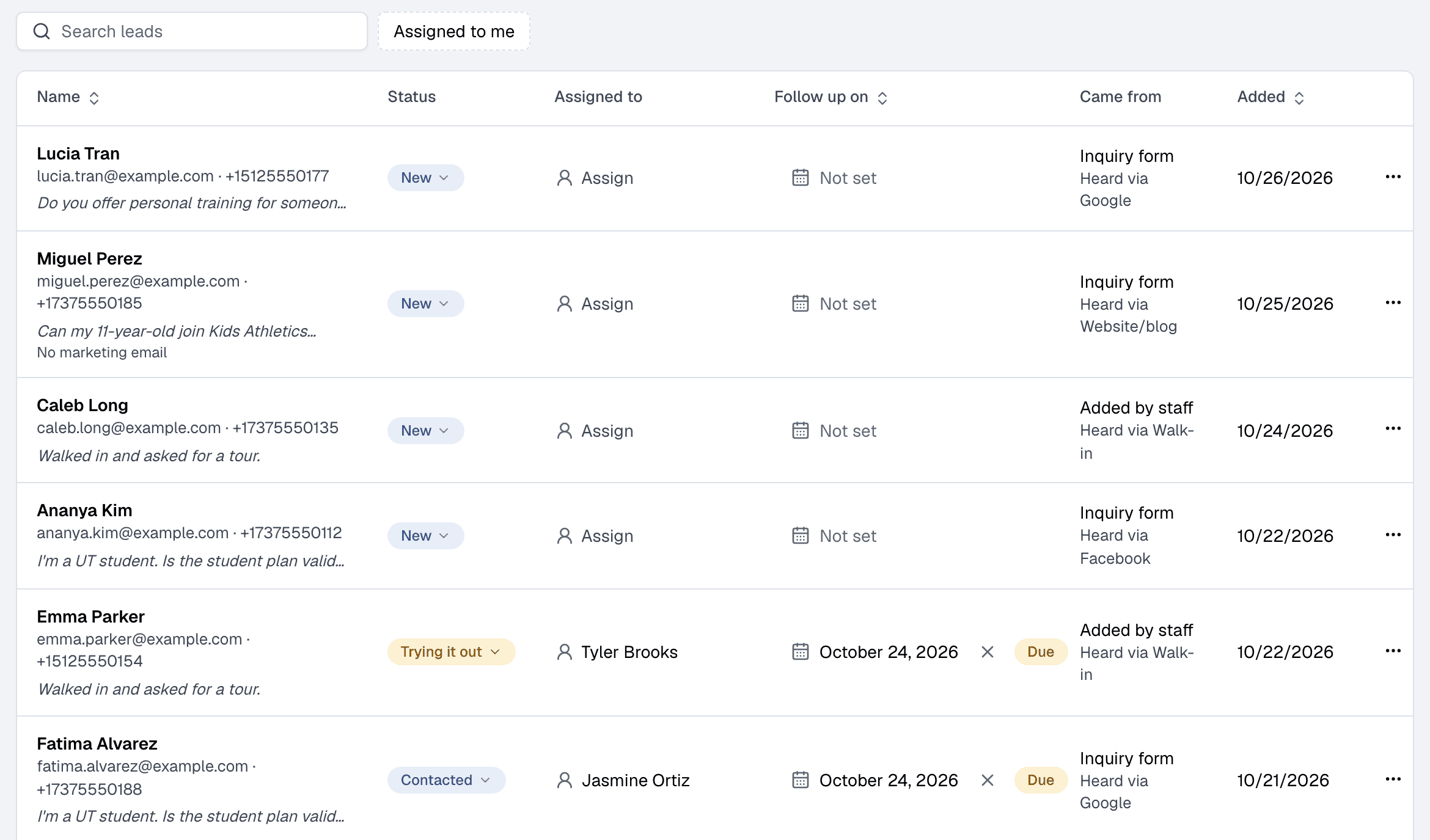
One list
Who they are, what they asked, where they came from
Each lead shows their contact details, their question and how they heard about you. Pick who follows them up under Assigned to and set the day under Follow up on; leads whose day has come are marked Due.
- Follow-ups due.
- Follow-ups due lists only the leads whose day has come, and Assigned to me shows only yours.
- Statuses that move on their own.
- A lead becomes Trying it out when they book a class or appointment or start a free plan, and Became a member when they start a paid membership, wherever they do it.
- Already a member profile.
- Every lead is also in Members, with a Lead badge, so you can book them into a trial class or sell them a plan straight away.
New
They sent your form, signed up on your website, or you added them.
Contacted
You got in touch. Set the next follow-up day.
Trying it out
Set by itself when they book or start a free plan.
Became a member
Set by itself when they start a paid membership. Or Not interested.
Inquiry form
An inquiry form that files every question
Your Finegym website has an inquiry form on its Contact tab. Visitors leave their name and email and, if they like, their phone number, their question and how they heard about you. Each one becomes a lead, and you get a New lead email so you can reply quickly.
- Share it anywhere.
- Use its link in your social media bio, your ads and your emails.
- Or put it on your own website.
- Copy the code under Inquiry form in Leads and paste it into any page.
- Spam stays out.
- Entries from spam bots are dropped, and the form never tells a visitor whether their email already has an account.
A visitor sends the form
On your Finegym website, or on your own site with the embed code.
They appear in Leads
Marked Inquiry form under Came from, with their question.
You get a New lead email
With their details and a link to Leads. You can reword it or turn it off.
Growth plan
Follow every lead up automatically
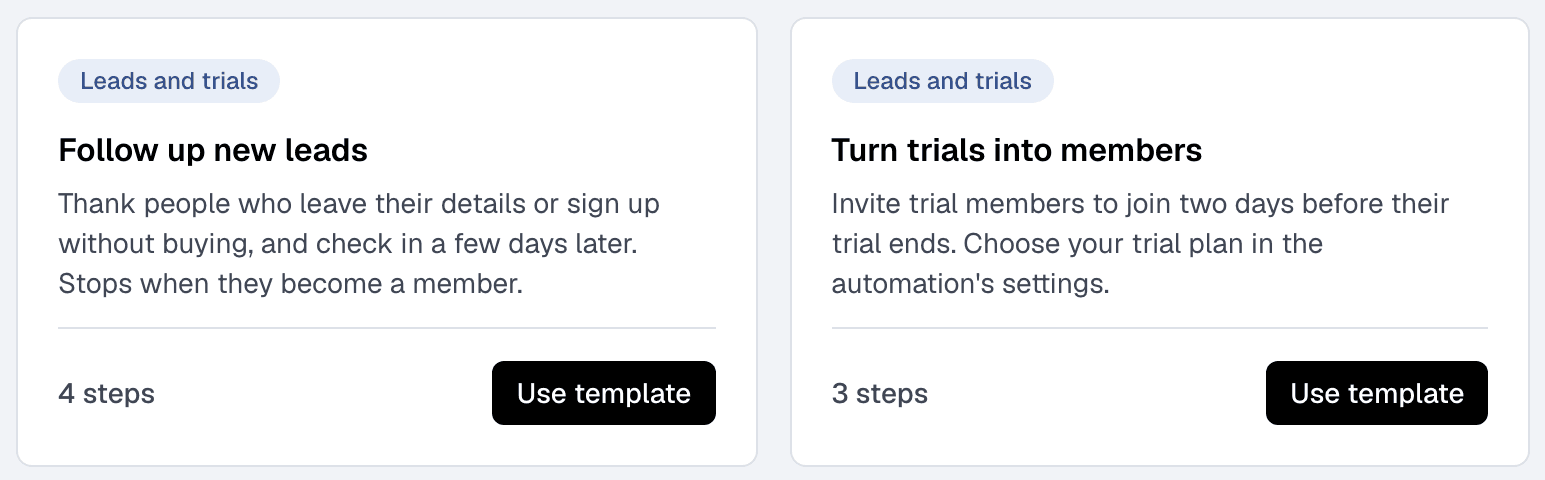
On the Growth plan, the Follow up new leads automation thanks people who leave their details or sign up without buying, and checks in a few days later. It stops as soon as they become a member. Turn trials into members invites trial members to join before their trial ends.
Related features
Step-by-step guides
How it works in detail, in the Finegym help center.
Which plan do I need?
Free covers the day-to-day. Starter adds integrations, Growth adds marketing and your own branded app. Starter and Growth start with a 30-day free trial, no card needed.
Compare plans- Marketing automation and campaignsAutomations, one-off campaigns and segments, sent by email, text or app notification. On the Growth plan.
- Your websiteEvery business gets its own website with its class schedule, plans and appointment booking, plus widgets to embed them in a site you already have.
- Membership managementCreate and manage recurring, non-recurring, and punchcard memberships with custom pricing, check-in limits, and validity periods.
- IntegrationsKisi, Twilio, Zoom, QuickBooks Online, Wellhub and Zapier on Starter and up, and Google Calendar sync on every plan.
Frequently asked questions
More answers, with steps and pictures, are in the help center. Help Center
Yes. Leads and the inquiry form are on every Finegym plan, Free included. Following leads up automatically with an automation is on the Growth plan.
Yes, through Zapier, on the Starter and Growth plans. A Zap can create a lead in Finegym from your ad’s form.
They don’t get a second account: the new question is added to their lead, and a lead marked Not interested goes back to New.
Only if they agree. The inquiry form has an unticked box, “Email and text me news and offers”. Leads who leave it unticked get no marketing emails or texts while they are leads.
Yes. Copy its code from Leads, under Inquiry form, and paste it into the page where the form should appear. There is also a link to share in your social media bio, ads and emails.
Open on Finegym tomorrow.
Sign up in about two minutes, no card needed, and add your plans, schedule and members at your own pace. Moving from other software? We help for free.