Expenses and payroll
See what came in, what went out and what each coach earned
Record rent, supplies and other expenses, and let the ones that repeat record themselves. Finegym puts them next to the payments you took, month by month. Give each coach a pay rate, and it works out what they earned from the classes and appointments they taught.
On every plan, Free included
Income & expenses
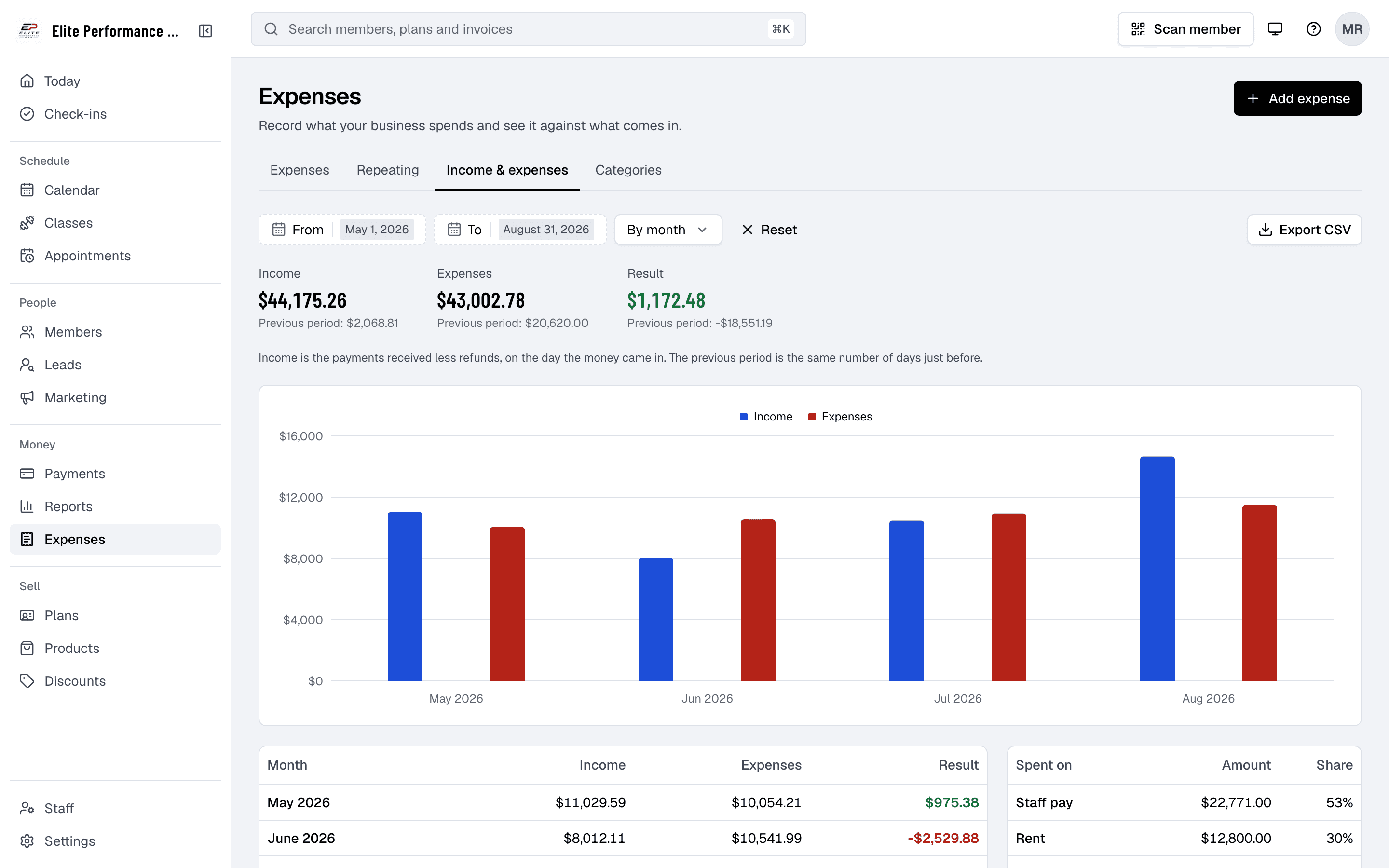
Income against expenses, by month or week
The report puts the payments your business took in next to the expenses you recorded, so you see what was left without a spreadsheet. Income is the payments received less refunds, the same money as the Transactions report.
- Compared with before.
- Income, expenses and the result, each next to the same number of days just before. A loss shows in red.
- Where the money went.
- What each category came to, and its share of everything you spent.
- Export CSV.
- A row for each month or week, a total, and each category, ready for your accountant.
Date, category and amount
Plus a description and who it was paid to, if you like.
Repeats every week or month
Rent, a salary or a subscription records itself just after midnight, until you stop it.
Your own categories
Start with Supplies, Rent, Staff pay, Utilities, Advertising and Other expenses, and add, rename or archive them.
Payroll
Pay worked out from the sessions they taught
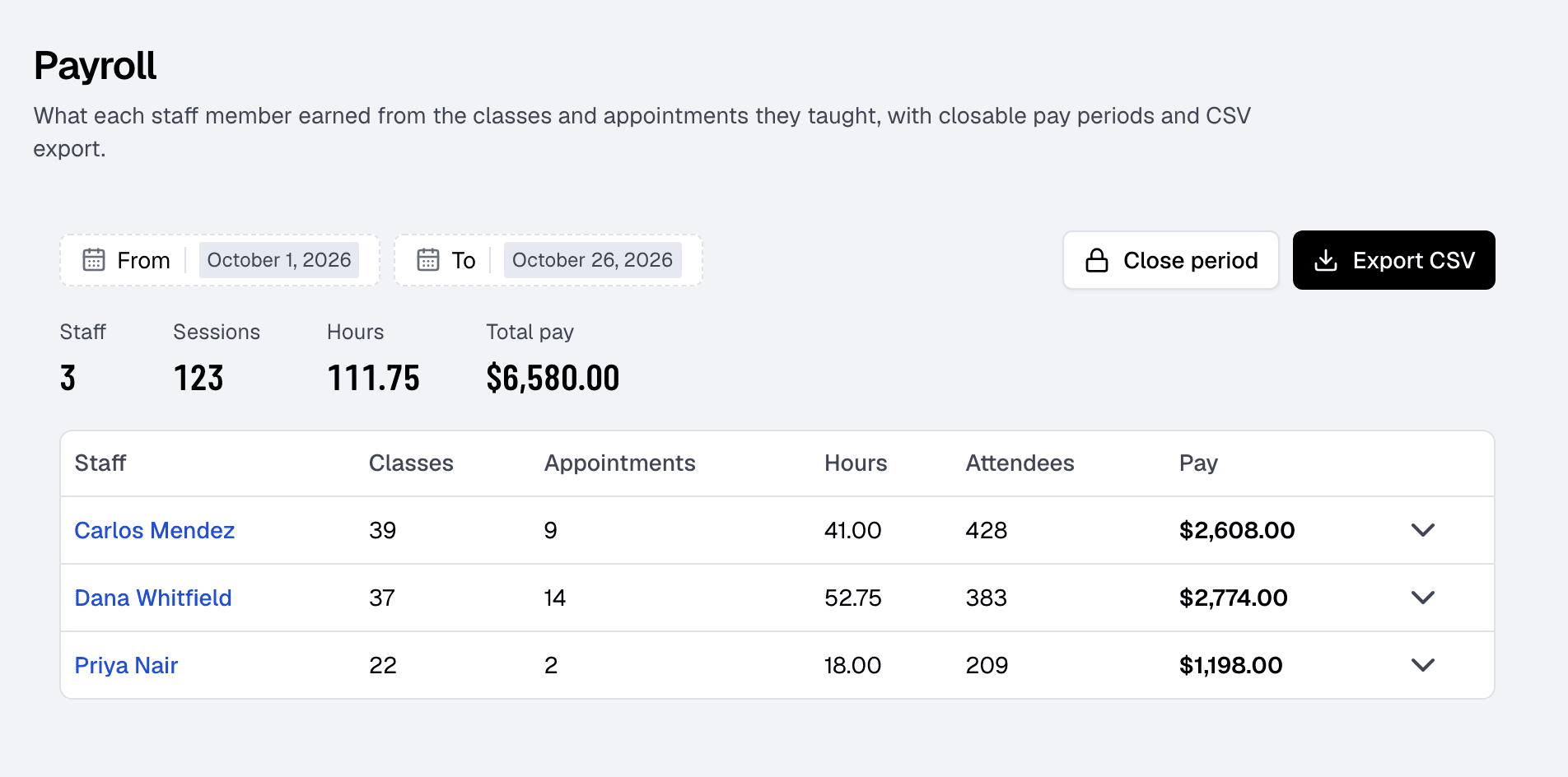
Give each staff member a rate per class, per appointment or per hour, plus a bonus per attendee if you like, and a flat rate for particular class or appointment types. The payroll report adds up what each person earned for any dates.
- Every session behind the number.
- Click a row to see each class and appointment, with its rate and pay. Canceled ones don’t count.
- Close the period.
- Once you’ve paid people, close it so the numbers stay put, record the pay as expenses, and export a CSV.
- My pay.
- Under My pay, each staff member sees what they earned for any period.
Related features
Step-by-step guides
How it works in detail, in the Finegym help center.
Which plan do I need?
Free covers the day-to-day. Starter adds integrations, Growth adds marketing and your own branded app. Starter and Growth start with a 30-day free trial, no card needed.
Compare plans- Reports and analyticsTrack sales, transactions, balances, payroll, new members, visits and bookings, compared with the period before.
- Payments and invoicesProcess payments via Stripe, generate invoices automatically, and track all transactions in one dashboard.
- Staff roles and permissionsOwner, Manager, Front desk, Coach or Custom: everyone signs in with their own email and sees what their job needs.
- AppointmentsPersonal training and consultations, booked around each coach's availability.
Frequently asked questions
More answers, with steps and pictures, are in the help center. Help Center
Yes. Expenses, the Income & expenses report, pay rates and the payroll report are on every Finegym plan, Free included.
No. Finegym works out what each person earned and exports it for your payroll provider or accountant. Paying them, and payroll taxes, stay with you.
No. An expense records its date, category, amount, a description and who it was paid to.
No. The QuickBooks Online integration sends paid invoices, payments and refunds; expenses stay in Finegym.
The Owner and Managers. Expenses need the Expenses permission and the payroll report the Reports permission. Every staff member sees their own pay under My pay.
Open on Finegym tomorrow.
Sign up in about two minutes, no card needed, and add your plans, schedule and members at your own pace. Moving from other software? We help for free.