Classes and scheduling
Class scheduling for gyms and studios
Members browse and book classes in the Finegym app or on your website, and join the waitlist when a class is full, while you manage capacity and schedules.
On every plan, Free included
Booking
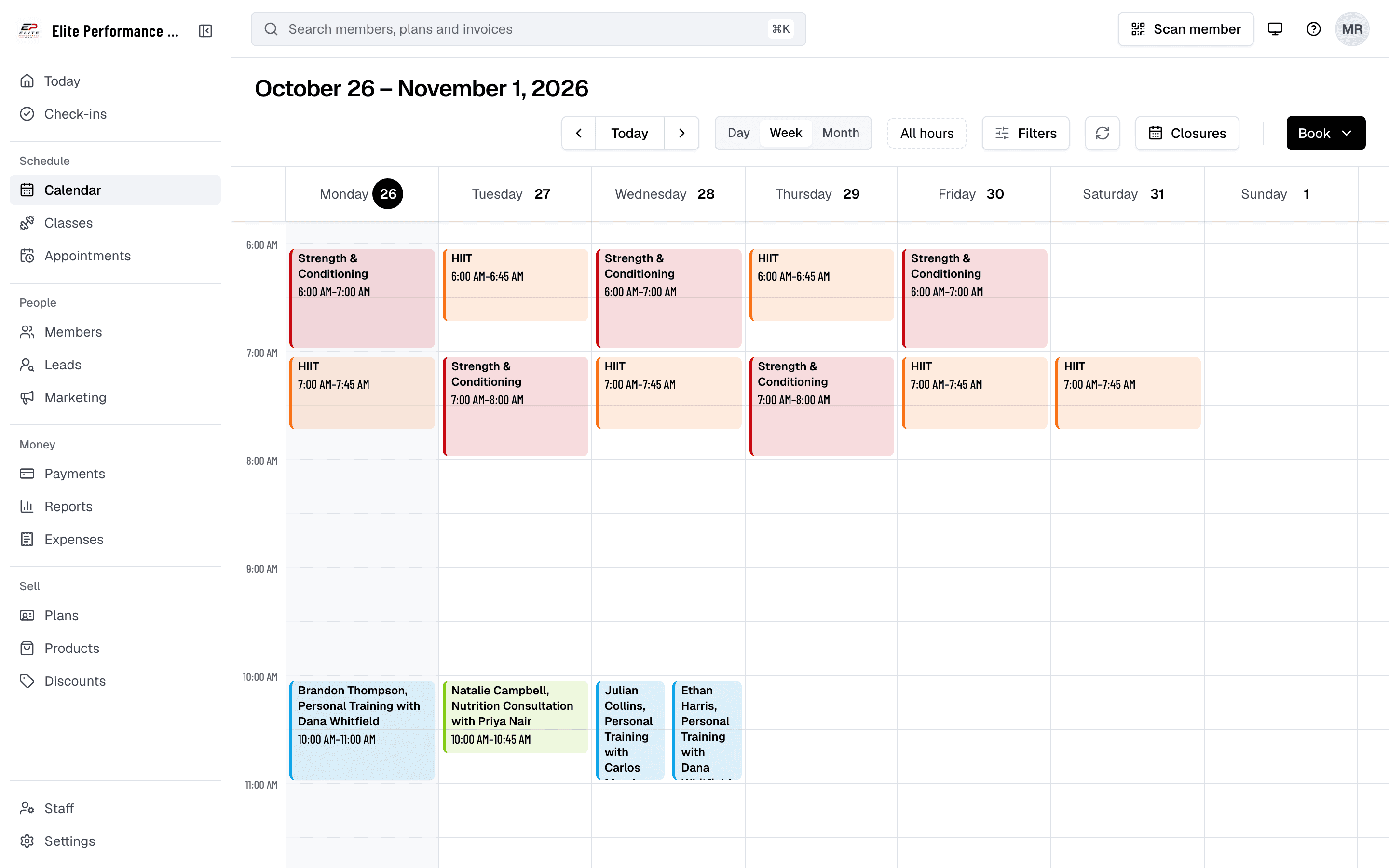
Members book their spot
With Finegym’s class scheduling system, members can quickly view available classes, check capacity, and reserve their spot with a few taps. Gym owners can also manage class limits, and ensure a smooth booking experience for all members.
- Browse available classes
- Members can easily browse the upcoming schedule and find available classes to book via the member app.
- Class capacity management
- Gym owners can manage class limits, allowing for a smooth flow and capacity control.
- Booking confirmations for members
- Members get a confirmation email with the class attached as a calendar event, so they stay informed about their reserved sessions.
Class types
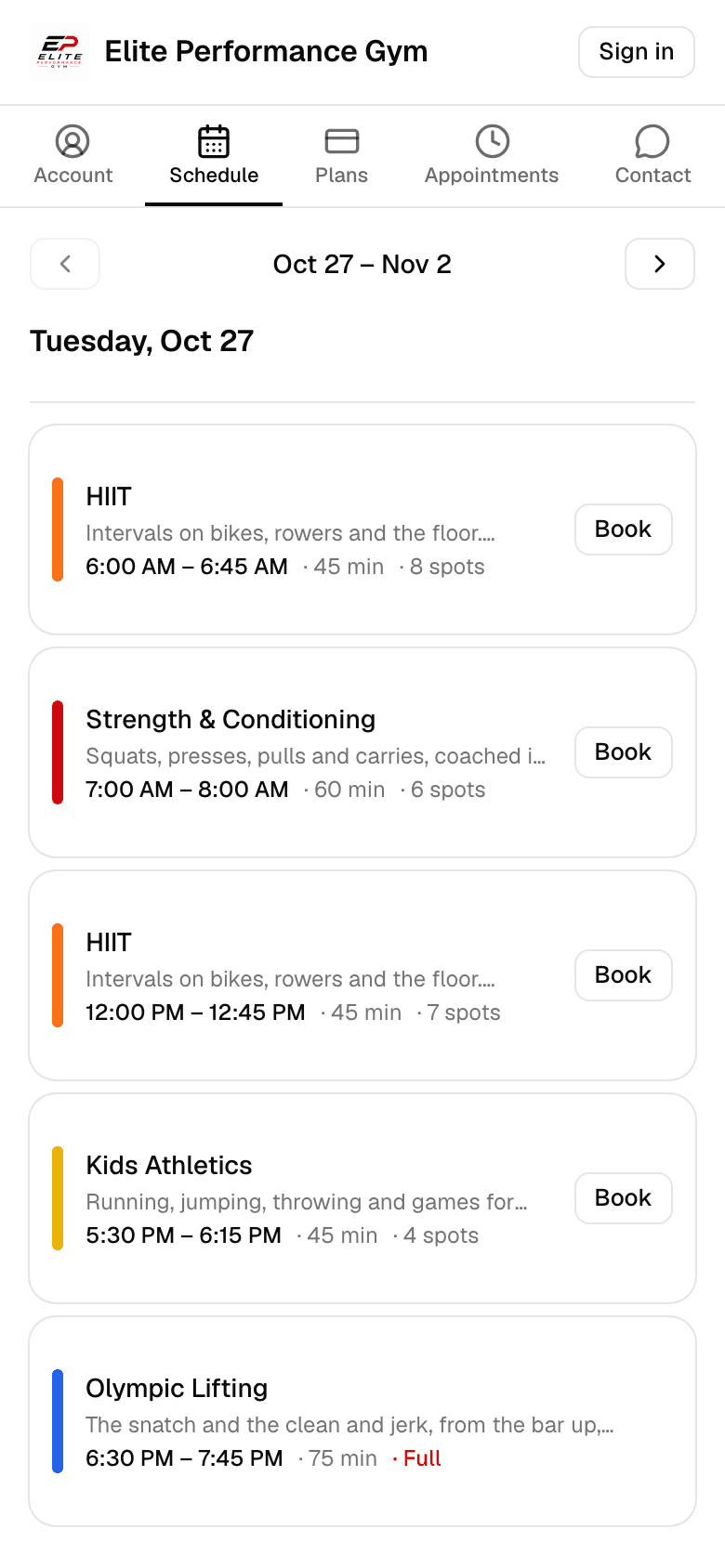
Set up your timetable
Finegym allows gym owners to set up, organize, and adjust class schedules effortlessly. They can manage class types, instructor assignments, and capacity settings, all in one place.
- Create and manage class schedules
- Easily create and adjust class schedules to suit your gym’s needs. Assign instructors and manage participation from a single interface.
- Manage class reservations
- Staff can manage class reservations, including adding or canceling member bookings as needed.
Create a class type
Its name, description, color, length, spots, and when booking opens and closes.
Schedule its classes
Once, or repeating on chosen days until a date or for a number of classes, with a coach.
Members book
In the app and on your website from the time booking opens, or join the waitlist.
Capacity
Class registration and capacity
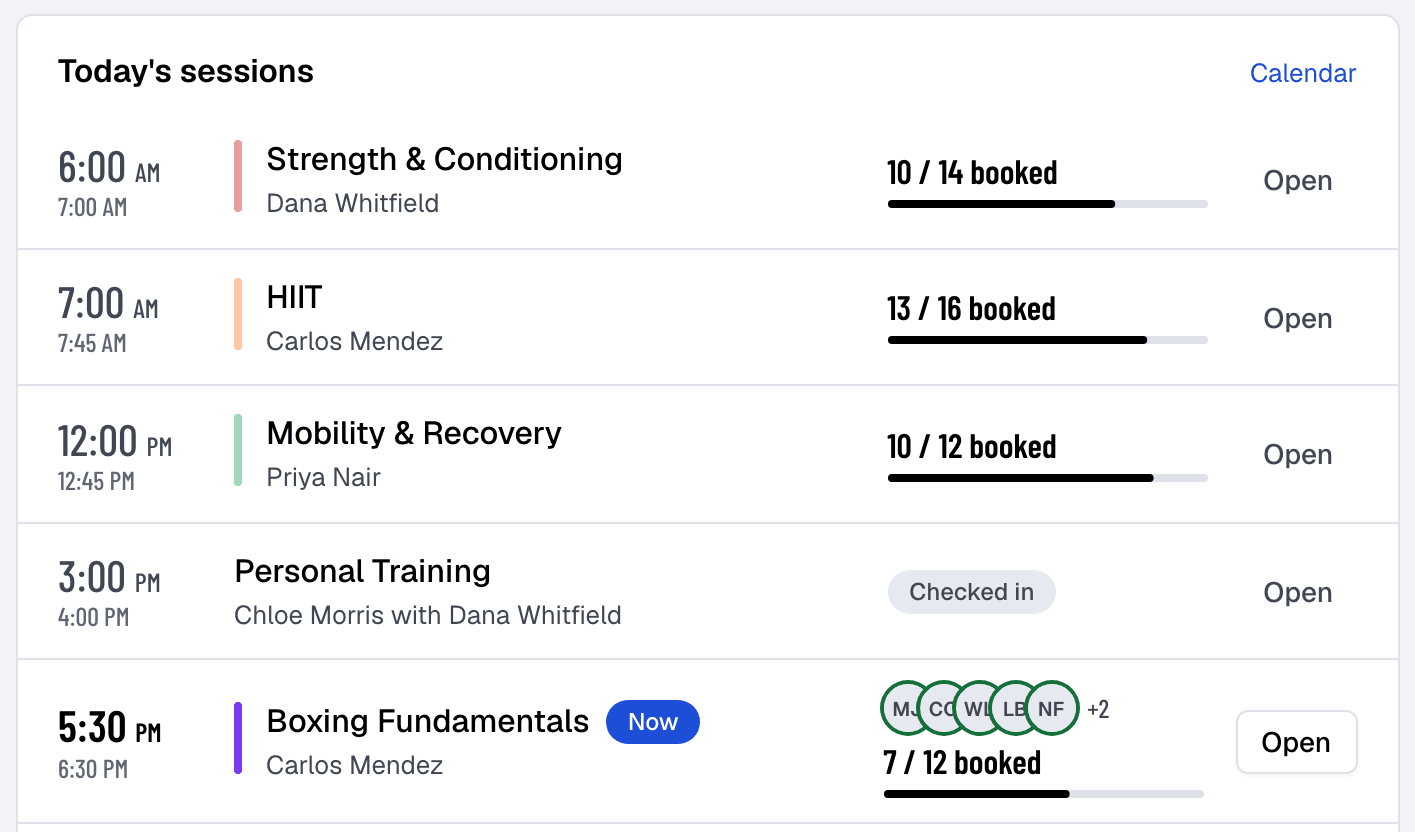
Finegym allows members to register for group classes and see how many spots are left, while staff see who has registered. Gym owners can manage class capacity and ensure that members stay informed about available spots, helping everyone plan their fitness schedule more effectively.
- Set class capacity limits
- Define limits for class sizes to ensure safe and manageable group sessions.
- Member registration for classes
- Members can easily register for classes directly through the mobile or web app.
- View class participants (staff only)
- Gym staff can view who is registered for upcoming classes, ensuring transparency and aiding in planning.
- Real-time availability updates
- Keep members updated on class availability as spots are filled.
Related features
Step-by-step guides
How it works in detail, in the Finegym help center.
Which plan do I need?
Free covers the day-to-day. Starter adds integrations, Growth adds marketing and your own branded app. Starter and Growth start with a 30-day free trial, no card needed.
Compare plans- AppointmentsPersonal training and consultations, booked around each coach's availability.
- Online bookingMembers book classes and appointments, join waitlists and cancel, in the app or on your website.
- Your websiteEvery business gets its own website with its class schedule, plans and appointment booking, plus widgets to embed them in a site you already have.
- IntegrationsKisi, Twilio, Zoom, QuickBooks Online, Wellhub and Zapier on Starter and up, and Google Calendar sync on every plan.
Frequently asked questions
More answers, with steps and pictures, are in the help center. Help Center
Yes, members can browse and book available classes directly through the Finegym mobile app, ensuring they secure their spot quickly and easily.
Absolutely. Gym owners can set class capacity limits, manage registrations, and control class sizes to ensure smooth and safe group sessions.
The app provides real-time updates on class availability, so members can see if a class is full and look for alternative options.
Currently, only gym staff can view the list of participants registered for each class. This helps staff with class management and organization.
Members get a confirmation email when they book, with the class attached as a calendar event for their phone’s calendar. Finegym doesn’t send separate reminders before a class.
Open on Finegym tomorrow.
Sign up in about two minutes, no card needed, and add your plans, schedule and members at your own pace. Moving from other software? We help for free.