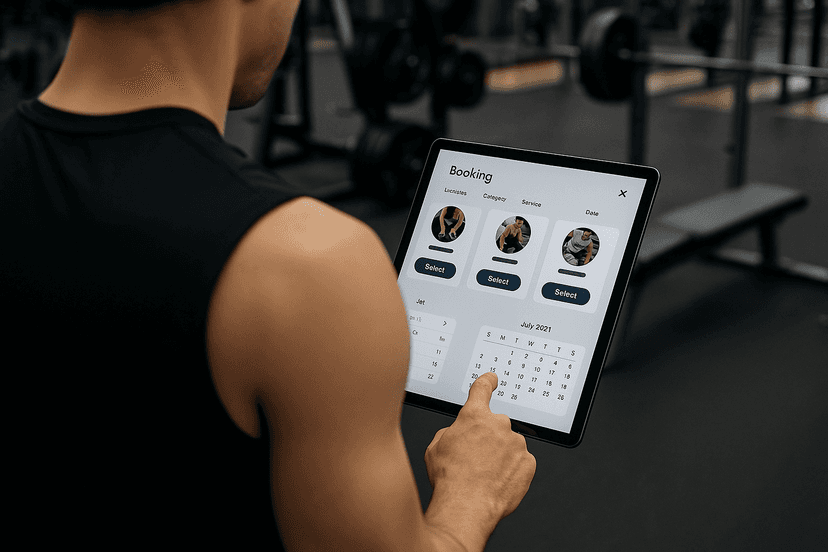

The fastest way to fix chaotic booking is an all-in-one scheduling platform that handles the client booking page, automated reminders, secure payments, and client profiles in one system, and Finegym is built for exactly that combination. If you're comparing tools this week, start a short trial and run one real client through the full flow before you commit. That single test tells you more than any feature list.
TL;DR:
- Running a real client booking through a trial reveals whether the platform supports live payments, automated reminders, and a seamless flow, rather than just promising features.
- Effective scheduling requires defining service types, setting buffers longer than expected, and using deposits to significantly lower no-shows.
- Cost comparisons should focus on the value per booking rather than upfront prices, considering potential hidden fees like SMS charges or tiered feature costs.
- Transitioning to new software benefits from a phased rollout involving data export, testing, small-group soft launches, and maintaining the old system in read-only mode for at least 30 days.
- Post-implementation KPIs to monitor weekly include bookings, fill rate, no-show rate, revenue per booking, and client retention, with reminders and deposits being key tools to reduce cancellations.
Table of Contents
- What Should Trainer Appointment Scheduling Software Actually Do?
- Core Features That Actually Move the Needle for Trainers
- How Should You Compare Pricing and Plans?
- Rolling Out New Scheduling Software Without Losing Bookings
- What KPIs Prove the Switch Is Working?
- How Does Finegym Match This Checklist?
- What Kind of Support Should You Expect After Signing Up?
- Does Your Scheduling Tool Talk to Your Marketing and CRM Setup?
- Can You Customize the Client Booking Experience?
- What Happens When You Add a Second Location or Trainer?
- Should You Start With a Free Trial or a Live Demo?
- Practitioner Perspective: What Adoption Actually Looks Like
- Ready to Set Up Trainer Appointment Scheduling With Finegym?
- Sources
What Should Trainer Appointment Scheduling Software Actually Do?
Before you sit through a single demo, run any scheduling platform through a 60-second gut check. Most vendors look identical on their homepage. They stop looking identical the moment you try to book a real session, take a real payment, and send a real reminder.
Confirm these basics first:
- A self-booking page clients can use without calling or texting you
- Automated reminders that fire by SMS, email, or push notification without you clicking send
- A live payment flow, not just a "coming soon" integration badge
- An intake form or waiver field built into the booking sequence
Then check the operational layer that separates a solo-trainer tool from something a growing studio can run:
- Multi-trainer or multi-location calendar support if you're not working alone
- Native calendar sync (Google Calendar, Apple Calendar) so nothing double-books
- A working mobile app for you and, ideally, your clients
- A stated data migration or onboarding process, not silence on the topic
Red flags worth walking away from: no mobile app at all, no way to test a real payment before signing a contract, and pricing pages that hide fees until checkout. Vendor pages built for personal trainers consistently list 24/7 booking, reminders, and intake forms as baseline features, which tells you those aren't premium extras. They're the floor.
Core Features That Actually Move the Needle for Trainers
A booking page is not a feature. It's a container for several smaller decisions that determine whether your calendar runs itself or still eats an hour of your day.
Booking page setup matters more than most trainers expect. You need to define service types (assessment, 1:1 session, small group), set buffer times between sessions so you're not sprinting across the gym floor, and decide whether a slot represents a fixed-capacity class or a single client appointment. Get this wrong and you'll either overbook a room or leave slots empty that could have filled.
Reminders are where most no-show reduction actually happens. The pattern that works: a confirmation immediately after booking, a reminder 24 hours out, and a second nudge two to three hours before the session. Layer in SMS for the close reminder and email for the confirmation. If a client has skipped before, a small deposit tied to the booking changes behavior faster than any reminder cadence alone.
Recurring sessions and packages need to survive cancellations and rescheduling without falling apart.
Payments and refunds run through Stripe, Square, or PayPal in most modern platforms. Check the refund path specifically. A tool that takes payment easily but makes refunds a support ticket will cost you client goodwill the first time you need one.
Calendar sync and availability rules prevent double bookings across your personal calendar and your client-facing one. Intake forms and waivers should attach to the client's profile automatically, not live in a separate folder. Video integrations (Zoom or Google Meet) and timezone handling matter the moment you coach a single remote client. Mobile notifications need to reach you as reliably as they reach your clients.
- Service types and buffer times define your actual daily capacity
- Deposit-backed bookings reduce no-shows more than reminders alone
- Refund handling reveals a platform's real payment reliability
Pro Tip: Set your buffer time to at least 10 minutes longer than you think you need. Trainers consistently underestimate transition time between clients, and a tight buffer is what causes the 3pm session to start late.
How Should You Compare Pricing and Plans?
Sticker price is the wrong first filter. The right one is cost per booking against what that booking is worth to you.
Most platforms price by seat (per trainer), per location, or per feature tier, and the cheapest plan on the page often excludes the features you'll actually use. Watch for hidden costs before you commit:
- SMS credits billed separately once you exceed a monthly allotment
- Payment processing fees stacked on top of your subscription
- Advanced integrations (CRM, marketing tools) locked to a higher tier
- Onboarding or data migration fees not listed on the pricing page
A simple break-even check: take your average bookings per month, multiply by your average revenue per booking, and compare that to the monthly subscription cost. That math changes fast once you add a second trainer or a second location, which is usually the signal to upgrade rather than stretch an entry plan past its limits.
Rolling Out New Scheduling Software Without Losing Bookings
Switching platforms mid-season feels risky, but a phased rollout limits the damage almost entirely.
- Export everything first. Pull client lists, active recurring sessions, and any signed waivers from your current system before you touch the new one.
- Test the full flow yourself. Book a session as if you were a client, run a real payment through the test mode, and confirm the confirmation and reminder sequence actually fires.
- Soft launch with a small group. Move five to ten regular clients over first and watch for friction before opening the public booking page.
- Go fully live once the soft launch runs a full week clean, then redirect your public booking link and retire the old system.
Train any front-desk or assistant staff on the new calendar before the switch, and send clients a short message explaining what changed and why their old booking link now redirects.
Pro Tip: Keep the old system active in read-only mode for at least 30 days after launch. You'll need it to answer a billing question you didn't expect.
What KPIs Prove the Switch Is Working?
Track five numbers weekly, not monthly. Weekly cadence catches a broken reminder sequence before it costs you a month of no-shows.
- Bookings per week (raw demand)
- Fill rate (booked slots against available slots)
- No-show rate (before and after reminders or deposits)
- Average revenue per booking
- 60/90-day client retention
To measure the actual impact of a reminder change or a new deposit policy, compare no-show rate for the four weeks before the change against the four weeks after. Aggregator reviews consistently point to reminder reliability as a top factor buyers weigh when judging scheduling software, and it's the easiest metric to move fast. Assign one person, even if that's you, to check these numbers every Monday.
How Does Finegym Match This Checklist?
Run Finegym against the same checklist and the fit becomes concrete rather than promotional. Appointment scheduling covers the booking page and buffer logic. Automated member notifications handle the reminder cadence. Payment processing runs through the platform's own billing tools, and client profiles store intake history alongside QR check-in data and mobile app access for both trainer and client.
The gap between a scheduling tool that looks complete on a sales page and one that holds up under real client volume usually shows up first in onboarding: whether your existing client list and recurring packages migrate cleanly, or whether you're rebuilding your calendar by hand.
Finegym's tiered pricing scales from solo trainers running a single calendar to multi-location operators managing several trainers and rooms, with onboarding support built into the setup process rather than sold as an add-on.
- Appointments, reminders, payments, and client profiles live in one system
- QR check-ins and a mobile app cover the day-to-day trainer and client experience
- Tiered pricing fits a one-person schedule as easily as a multi-site operation
What Kind of Support Should You Expect After Signing Up?
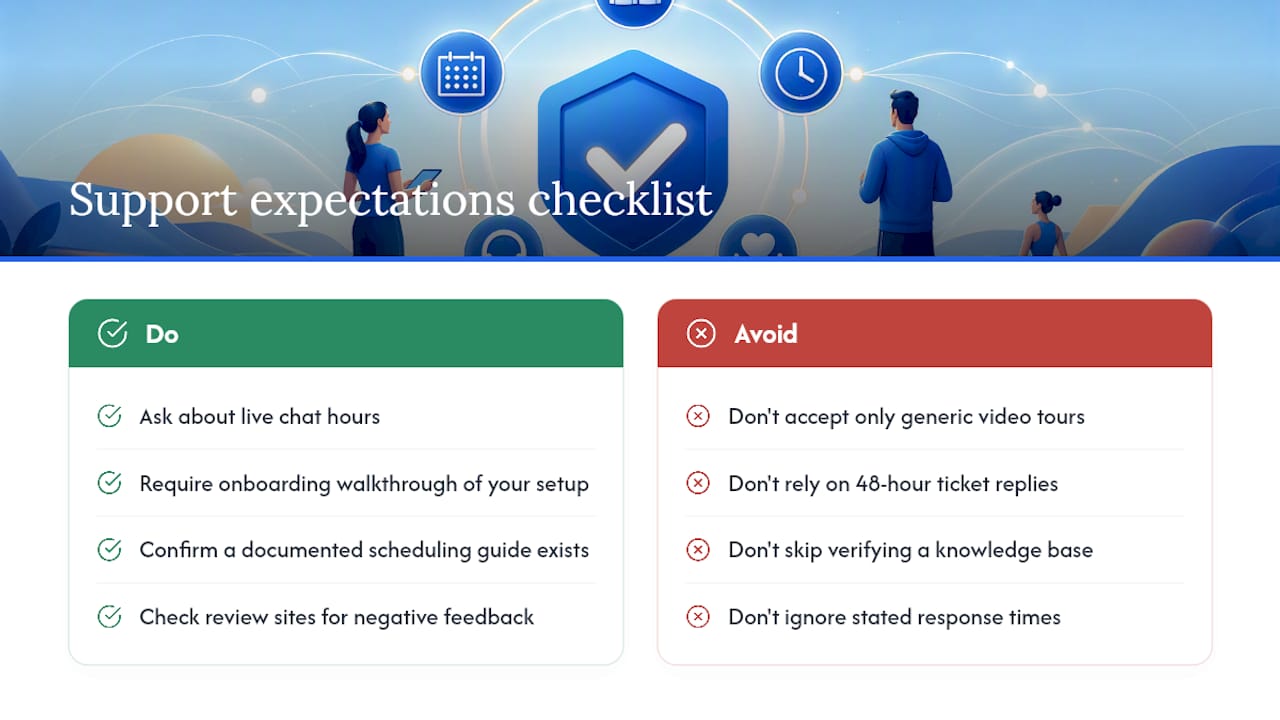
The demo is the easy part. Support quality shows up three weeks in, when your first real edge case hits: a client disputes a charge, a recurring package needs a manual adjustment, or a reminder didn't fire and you need to know why.
Ask any vendor directly what support channels exist beyond a help center article. Live chat during business hours beats a ticket queue with a 48-hour reply window, especially in your first month when you're still learning the interface. Check whether onboarding includes a real walkthrough of your specific setup, not a generic video tour.
Training resources matter more than trainers expect going in. A platform with a documented guide to fitness appointment scheduling gives you something to reference when you're setting buffer times or package rules at 9pm instead of waiting on a support reply. Peer feedback on response times and reliability is exactly why review aggregators exist. Read the negative reviews specifically. They tell you more about a support team's actual behavior than five-star praise ever will.
If a vendor can't point you to documentation, a knowledge base, and a support channel with a stated response time, that's a gap you'll feel the first time something breaks during a busy Monday morning.
Does Your Scheduling Tool Talk to Your Marketing and CRM Setup?
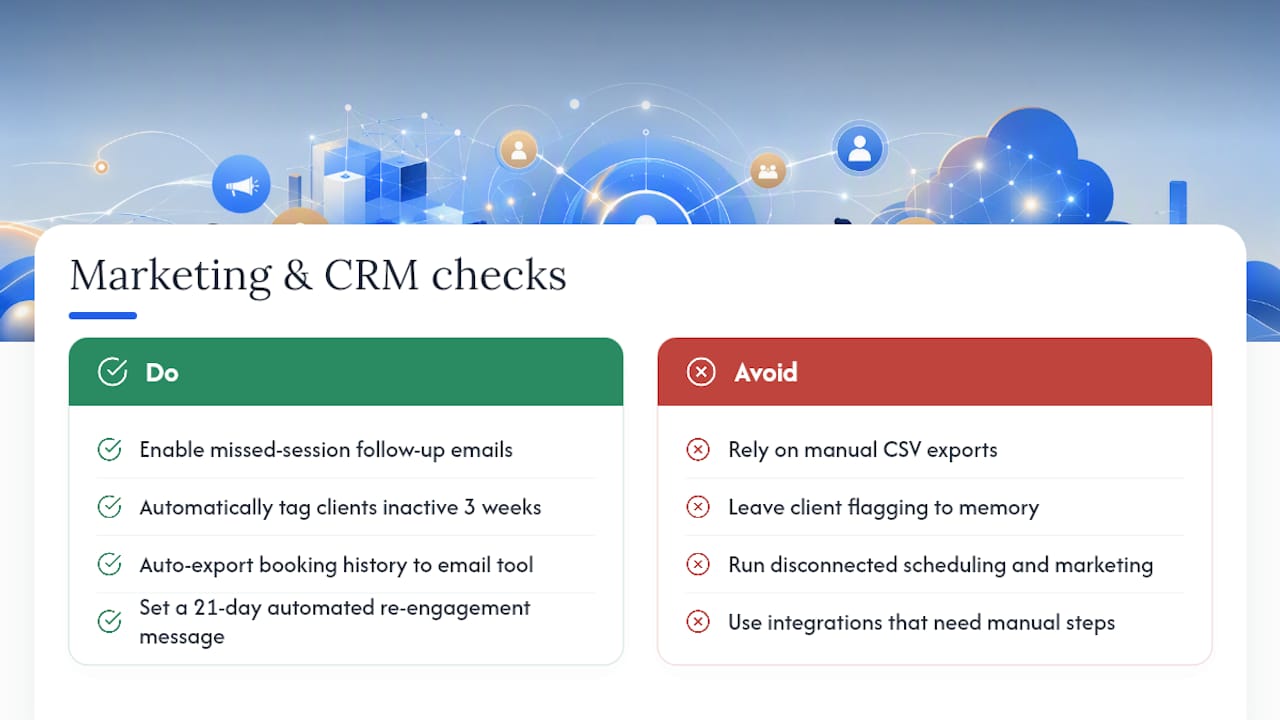
A booking calendar that never talks to your marketing tools leaves money on the table. Every completed session, cancellation, and no-show is a data point that should feed back into how you communicate with that client.
At minimum, check whether the platform can trigger a follow-up email after a missed session, tag clients who haven't booked in three weeks, or export booking history into an email marketing tool. Some platforms handle this natively through built-in marketing automation. Others rely on integrations with third-party CRM and email tools, which works fine as long as the connection is direct and not a manual CSV export every Friday.
The practical test: ask whether a client who books once and disappears gets flagged automatically, or whether that only happens if you remember to check. Automated re-engagement, even something as simple as a "we miss you" message after 21 days of inactivity, recovers bookings that would otherwise just vanish. If your current scheduling tool can't do this, and your marketing tool can't either, you're managing two disconnected systems instead of one operational pipeline.
Can You Customize the Client Booking Experience?
Clients notice when a booking page looks like a generic template versus something that feels like your business. Branding options matter here beyond vanity. A booking page with your logo, your colors, and your own domain builds more trust than a link that routes through a vendor's unbranded subdomain.
Look for control over the details that shape first impressions: custom confirmation messages, the ability to add your own service descriptions and photos, and a booking flow that doesn't feel borrowed. Some platforms let you customize the intake form fields specifically for your services, which matters if you coach injury rehab differently than general strength training.
Mobile app branding is often overlooked. If your clients download a generic app with the vendor's name on it rather than yours, that's a small but real gap in the experience you're building. Check whether white-labeling or custom branding is available at your pricing tier before assuming it's included.
What Happens When You Add a Second Location or Trainer?
Scheduling software that works beautifully for one trainer can fall apart the moment a second person joins the calendar. This is where the distinction between a simple appointment link and true multi-role scheduling becomes obvious. Staff scheduling tools built for fitness operations show unified weekly grids covering trainers, instructors, and front-desk staff, with mobile publish and notify workflows that a solo booking page simply doesn't need.
Before you scale, confirm the platform supports role-based permissions so a new trainer sees only their own calendar, not your entire client list. Confirm multi-location support means separate calendars, separate room capacity, and separate reporting, not just a shared login. Growth usually breaks scheduling tools at the exact moment you need them most, so test this capability before you're three weeks into onboarding a second trainer.
Should You Start With a Free Trial or a Live Demo?
Free plans and trials exist so you can test the actual workflow, not just watch someone else demo it. Vendor pages commonly advertise free tiers aimed specifically at solo trainers who want to test deposit and reminder logic before paying anything, and that's the right way to use one.
During a trial, book a real test session, run a real (or sandboxed) payment, and confirm the reminder sequence actually fires on schedule. Don't just click through the interface. If a platform hesitates to offer a genuine free trial, or gates every meaningful feature behind a sales call, that's worth noting before you invest setup time.
Practitioner Perspective: What Adoption Actually Looks Like
Trainers who switch platforms usually hit the same early snag: they migrate the calendar but skip re-explaining the new booking link to clients, and half their regulars keep texting instead of self-booking. That habit fades within two to three weeks once reminders start doing the reminding for you. A reasonable default is a 24-hour reminder plus a same-day nudge, paired with a modest deposit on new-client bookings only. The software fixes the mechanics. Your communication with clients still decides whether the switch feels smooth or chaotic.
— Vedad
Ready to Set Up Trainer Appointment Scheduling With Finegym?
Everything covered above, the booking page, reminders, payments, client profiles, and multi-trainer support, lives inside one Finegym subscription instead of three stitched-together tools. That's the concrete advantage: one login, one calendar, one bill, instead of separate accounts for scheduling, payment processing, and client records that never quite sync.
A free plan or demo walks you through the setup that matters most: importing your existing client list, mapping your service types and buffer times, and connecting payment processing so your first booked session actually collects payment correctly. Explore Finegym's appointment features directly, or check the free gym management plan if you want to test the full workflow, from booking page to reminder sequence, before paying anything. If you're running multiple trainers or planning to add a location, the complete feature set shows exactly what scales with you.
Sources
For deeper feature comparisons, review Koalendar's trainer scheduling page and Shifton's fitness staff scheduling overview. For Finegym specifics, see the appointment scheduling features page.
- Personal training scheduling software | Reservio Business
- Fitness Studio Scheduling Software for Gyms | Shifton