Yes, review request automation is worth building this year. The simplest version runs on three steps: a trigger fires when a customer completes an appointment, class, or purchase; a short SMS or email goes out with a one-tap review link; a follow-up nudges anyone who hasn't responded. Businesses that run this consistently see more reviews and fewer public complaints, because unhappy customers get routed to private feedback first.
TL;DR:
- Automate review requests by triggering after specific customer events like appointments, invoices, or milestones to maintain consistent review volume and current local reputation.
- Use a single trigger, such as a completed service or payment, and select SMS or email as your primary channel for short, direct, and branded messages with a one-tap review link.
- Timing reviews between 24 to 72 hours post-event improves response rates, especially when combined with personalized messages referencing the customer and service details.
- Track key metrics including open rate, click-through rate, review conversion, and volume growth for at least two to four weeks to assess automation effectiveness before expanding.
- Connect your scheduling, POS, or CRM systems via native integrations, middleware, or CSV uploads, ensuring trigger data remains limited to essential contact and service details to maintain simplicity.
Table of Contents
- What Review Request Automation Does for Small Businesses
- How Do You Set Up Automated Review Requests?
- When Should You Send a Review Request?
- Which Integrations Connect Your Systems to Review Requests?
- Which Metrics Prove Your Automation Is Working?
- Launch Checklist and Ready-to-Use Templates
- Case Study: Mapping Automation to Gym Member Touchpoints
- When Is the Right Time to Automate Review Requests?
- Automate Reviews Directly From Your Gym's Daily Operations
- Sources
What Review Request Automation Does for Small Businesses
Manual review requests fail for a boring reason: owners get busy, and the ask gets skipped nine times out of ten. Automation removes that dependency by firing the same request every time, on the same schedule, without anyone needing to remember to send it.
The payoff shows up in three places. Consistency raises total review volume because every eligible customer gets asked, not just the ones you remember. Local visibility improves too, since most consumers check reviews before choosing a local business, and a steady stream of fresh reviews keeps that impression current.
Common triggers include:
- An appointment or service marked complete
- A job closed out or an invoice paid in full
- A class attended or a membership milestone reached (10th visit, one year as a member)
- A support ticket resolved with a positive outcome
Staff stop chasing reviews by hand, and the cadence becomes predictable instead of reactive.
How Do You Set Up Automated Review Requests?
Setting this up doesn't require a developer, just a clear sequence and a willingness to test before scaling.
- Pick one trigger to start. Don't automate every touchpoint at once. Choose the moment that signals a satisfied customer, like a completed appointment or a paid invoice, and build your first flow around it.
- Choose your channel. SMS gets opened fast and works well for a quick, one-line ask. Email suits a slightly longer message with more context. Many gyms and studios also use in-app push notifications for members already using a mobile app.
- Write a short, branded message with a direct link. The review destination should be one tap away, no login screens, no extra menus. Every added step loses respondents.
- Set your follow-up logic. Decide when to resend (typically once, a few days later), when to stop trying, and a frequency cap so no customer gets asked twice in one visit cycle.
- Pilot before rolling out. Testing on a small cohort first, often a few hundred contacts or a two to four week window, is usually enough to catch a broken link or a tone problem before it reaches your whole customer list.
Pro Tip: Build separate paths for positive versus lukewarm responses. A quick one-tap rating question before the review link lets you route four and five-star customers straight to Google or Yelp, while sending anyone less enthusiastic to a private feedback form instead.
When Should You Send a Review Request?
Timing decides whether a review request gets ignored or answered. Send it too soon and the customer hasn't processed the experience yet. Wait too long and they've moved on entirely.
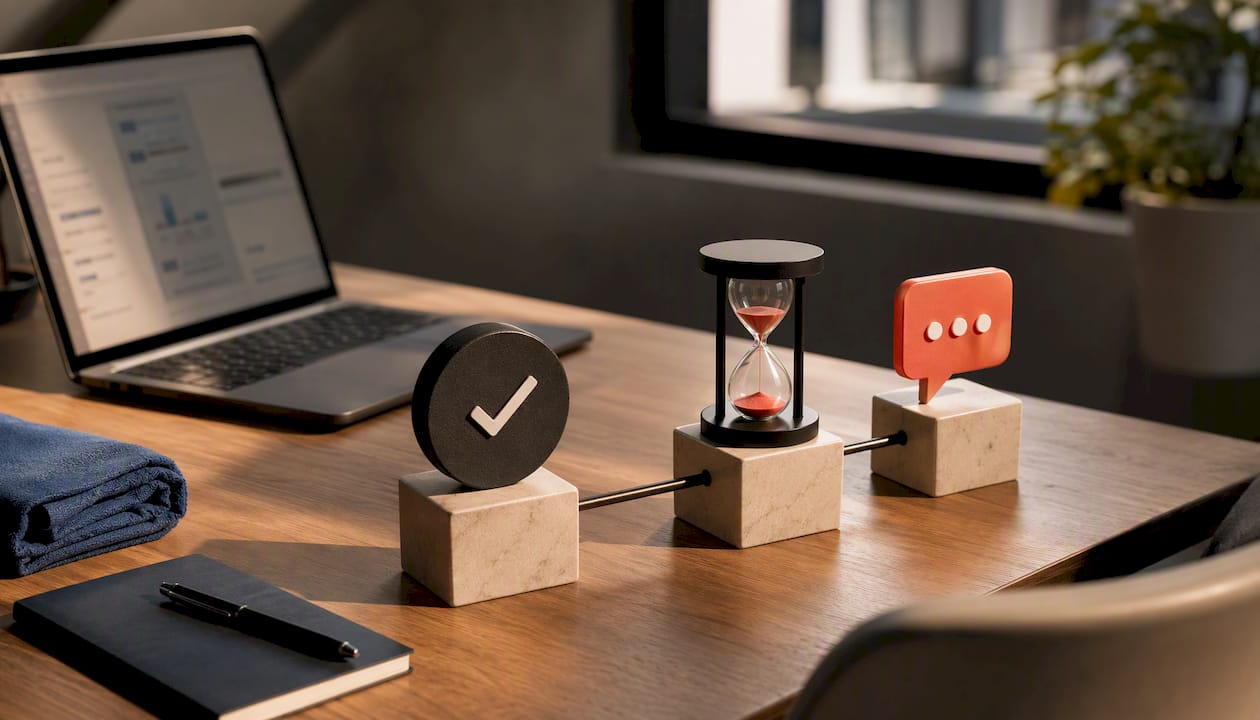
A 24 to 72 hour delay after service completion, or a milestone trigger tied to a specific event, tends to outperform an immediate ask. For a gym, that might mean waiting until a member's fifth class instead of messaging after their very first visit, when they're still deciding if the place is right for them.
Personalization moves the needle just as much as timing. Messages that use the customer's name and reference the specific service or staff member involved get higher response rates than generic blasts. "Thanks for training with Coach Maria today" reads very differently than "Thank you for your recent visit."
Build a private feedback loop for anyone who signals dissatisfaction. A short survey question before the public review link, "How was your experience?", can route a frustrated customer to your support team instead of a one-star public post. That single fork in the flow protects your average rating while still capturing the complaint internally.
Personalization and timing together do more work than either alone:
- Name and service reference in the message body
- Staff member credited when relevant
- Delay tuned to the type of interaction, not a single fixed timer for everything
Which Integrations Connect Your Systems to Review Requests?
Most small businesses already run a scheduling tool, a point-of-sale system, or a CRM. The question is how to connect that system to your review automation without hiring a developer.
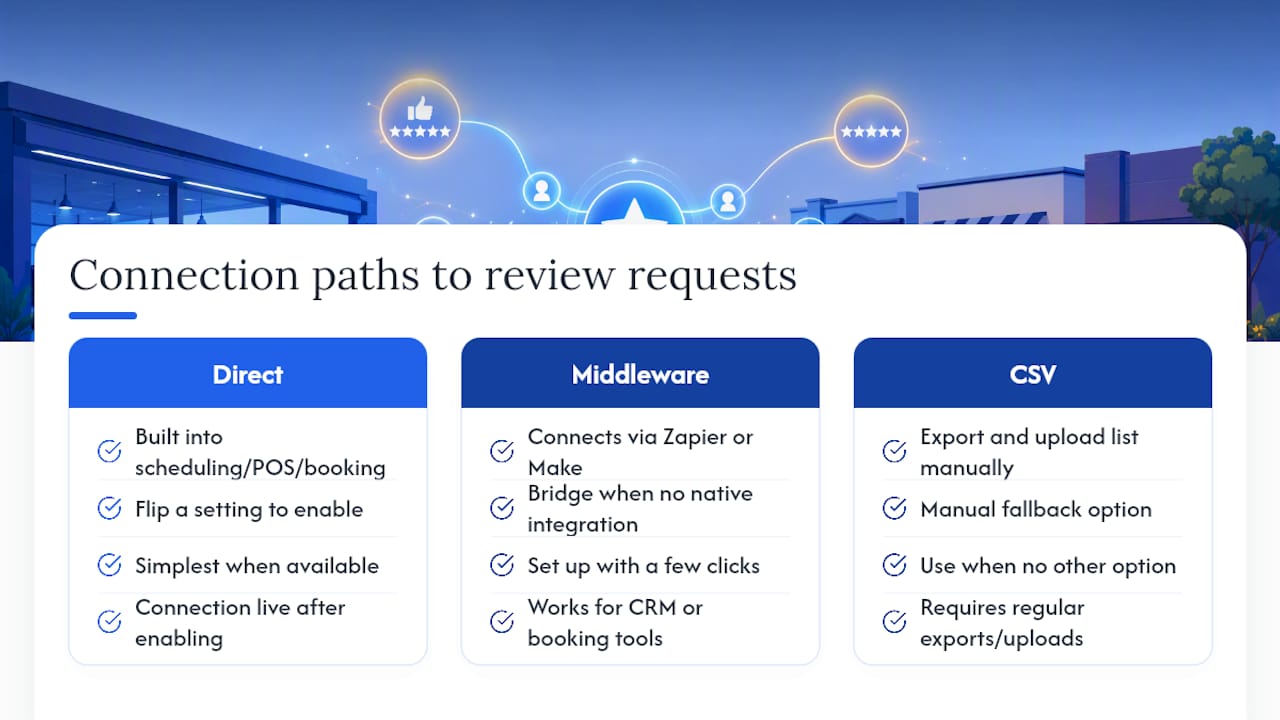
Three paths exist. Direct integrations, built into your scheduling, POS, or booking software, are the simplest when available; you flip a setting and the connection is live. Middleware like Zapier or Make bridges the gap when no native integration exists, letting you connect a CRM or booking tool to your messaging platform with a few clicks. CSV uploads work as a manual fallback for businesses without either option, though they require someone to export and upload a list regularly.
Whatever path you choose, the trigger needs a few consistent fields: customer name, contact info (phone or email), service or date, and staff member if relevant. Keep contact data limited to what the automation actually needs, and avoid pulling in unrelated personal fields.
You only need a developer when you're building custom webhooks or working with an API that has no existing connector. For everything else, a no-code bridge like Zapier is enough for most single-location businesses.
Which Metrics Prove Your Automation Is Working?
Track five numbers from day one: delivery or open rate, click-through rate on the review link, review conversion rate (clicks that turn into a completed review), your average star rating, and review velocity (how many new reviews arrive per week or month).
Set a baseline before you launch anything. If you're currently getting three reviews a month through occasional manual asks, that's your comparison point. Run the automated version for at least two to four weeks before judging results, since a shorter window won't smooth out normal day-to-day variation.
| Metric | What it tells you | Good starting benchmark to test against |
|---|---|---|
| Click-through rate | Whether your message and timing are working | Your own pre-automation baseline |
| Review conversion rate | Whether the link and ask itself convert | Your own pre-automation baseline |
| Review velocity | Whether volume is actually increasing | Reviews per month before automation |
Once you have a baseline, test one variable at a time: channel (SMS versus email), timing (24 hours versus 72 hours), or message wording. Changing more than one variable at once makes it impossible to know which change actually moved the numbers.
Launch Checklist and Ready-to-Use Templates
Getting your first automation live doesn't need to take more than a week if you follow a fixed order.
- Select your trigger event
- Set your delay timer
- Choose your primary channel
- Draft your message templates
- Pilot with a small group
- Measure results before expanding
Copy-ready starting points:
- SMS: "Hi [Name], thanks for visiting us! Got 30 seconds to share your experience? [link]"
- Email subject: "How did we do, [Name]?" Body: "Thanks for choosing us for [service]. If you have a minute, a quick review helps other customers find us. [link]"
- Follow-up (sent once, a few days later): "Just a quick reminder, we'd still love to hear about your experience with [staff name]. [link]"
Keep the tone conversational, not corporate, and cap follow-ups at one resend per request cycle. Anything more starts to feel like spam rather than a genuine ask.
Case Study: Mapping Automation to Gym Member Touchpoints
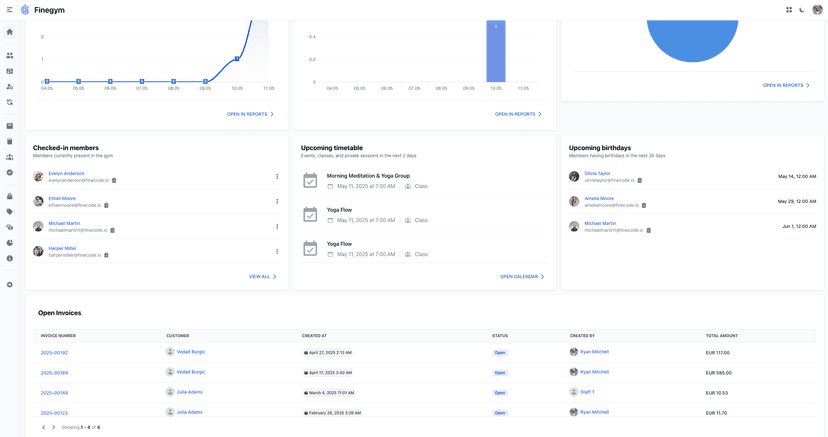
A CrossFit box running Finegym can trigger a review request the moment a member hits their tenth class, using check-in data already captured through QR code access control. A billing platform completes an automated payment, and a satisfaction check fires a day later through automated notifications. Membership milestones tracked in the member management system work the same way, tying a one-year anniversary to a personalized message from the front desk rather than a generic blast.
- Attendance milestone → SMS review request
- Billing event completed → satisfaction check, then review link
- Membership anniversary → personalized message with staff reference
When Is the Right Time to Automate Review Requests?
The clearest signal to start is a steady flow of customers moving through a repeatable process, whether that's classes, appointments, or completed jobs, combined with a basic CRM or scheduler already tracking those events. Without that foundation, automation has nothing reliable to trigger from.
The biggest pitfalls aren't technical. Over-contacting customers, ignoring your own conversion metrics, skipping consent rules under laws like the TCPA, and sending generic, unpersonalized messages all undercut results faster than a bad integration ever could. Review gating, showing the review request only to customers you predict will leave a positive review, also carries real platform and legal risk and should be avoided entirely.
Start with one trigger, measure for a month, then expand.
— Vedad
Automate Reviews Directly From Your Gym's Daily Operations
Finegym turns the touchpoints your gym already tracks, check-ins, class attendance, billing, into the review triggers this article just walked through, without stitching together a separate messaging tool. Because notifications run on the same platform as your scheduling and payments, a member's tenth check-in or a cleared invoice can fire a review request automatically, with no manual export or Zapier connection required.
Finegym is built specifically for gyms, studios, and multi-location clubs, not general retail or service businesses, so the trigger logic and templates already match fitness workflows out of the box. If you're running a CrossFit box, a boutique studio, or a multi-location club, start with the free gym management software tier to test attendance and billing triggers on a small group of members, or explore the complete gym management platform to see how notifications, scheduling, and payments connect into one automated flow.
Sources
- How To Set Up Automated Review Requests In Your Business Site - Podium
- How to Create a Review Request Automation | Lawmatics Help Center
- Statista — local business recommendation methods