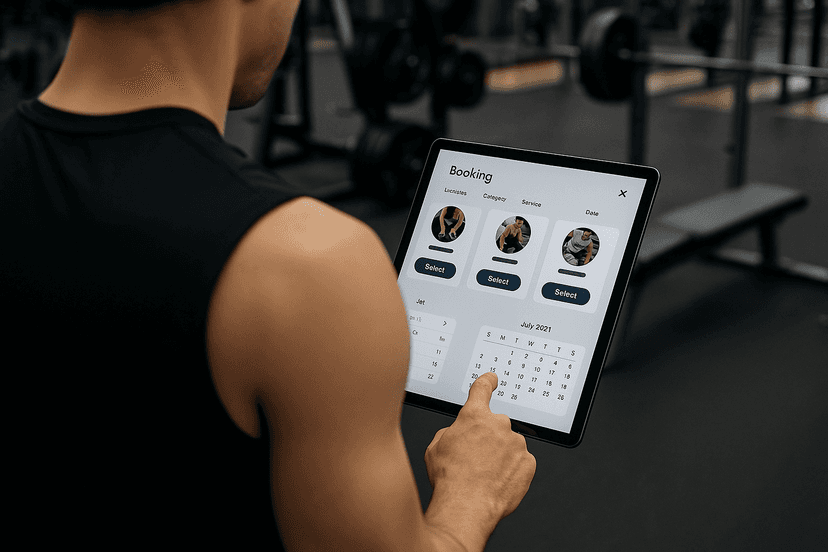

A member self service portal is the member-facing app or web dashboard that lets members book classes, pay, check in, and manage their own profiles without staff involvement. Every gym should run one that covers scheduling, secure payments under PCI DSS, and QR check-ins. A platform like FineGym bundles all four into one system instead of three separate tools you have to stitch together.
Key Takeaways
A member self service portal reduces staff admin load and improves retention only when it combines booking, billing, check-in, and communication in one connected system.
| Point | Details |
|---|---|
| Define must-have features first | Prioritize booking, billing automation, PCI-compliant payments, and QR check-in before nice-to-have extras. |
| Pilot before full rollout | Test with a small member group to catch migration and training issues early. |
| Verify security documentation | Request PCI DSS status, encryption evidence, and a SOC 2 report before signing. |
| Track KPIs from day one | Set a baseline for retention, booking conversion, and ARPU before launch, then recheck at 30/90/180 days. |
| Consider a purpose-built platform | FineGym combines scheduling, billing, QR check-ins, and a member app in one system built specifically for gyms. |
Table of Contents
- How Does a Member Self Service Portal Work?
- What Features Should a Member Portal Include?
- How Do You Roll Out a Member Portal Step by Step?
- What Integrations and Technical Requirements Matter?
- What Security and Compliance Details Should You Verify?
- How Do You Get Members to Actually Use the Portal?
- What KPIs Prove the Portal Is Working?
- Why We Recommend a Purpose-Built Gym Portal
- Get Your Member Portal Running With Finegym
- Frequently Asked Questions
- Sources
How Does a Member Self Service Portal Work?
The portal sits between your front desk and your member base, handling the transactions that used to require a staff conversation. A member opens the app, books tomorrow's 6 a.m. class, updates an expired card, and checks in with a QR scan, all before your coach has poured coffee.

That shift changes staff workload more than most owners expect. Front-desk time spent on rebooking, card updates, and "did I already pay this month?" questions drops because members handle it themselves, and automating registrations and paperwork measurably cuts admin time and errors at sports organizations that make the switch.
Member engagement moves in the same direction. A branded gym app that centralizes booking, check-in, and communication becomes the member's daily touchpoint with your business, not just a scheduling tool. Revenue follows: easier booking usually means higher conversion on class slots, fewer no-shows because reminders land automatically, and a natural upsell path when a member sees open PT slots or a workshop inside the same app they already use.
What a manager can expect within the first few months:
- Fewer phone calls and walk-ins asking to reschedule or check balances
- Lower no-show rates once automated reminders replace manual follow-up
- Faster checkout on renewals because payment methods are already stored
- More PT and workshop bookings surfaced directly inside the member's existing app
What Features Should a Member Portal Include?
Not every feature on a vendor's pitch deck matters equally. Some are load-bearing. Others are nice to have once the basics work.
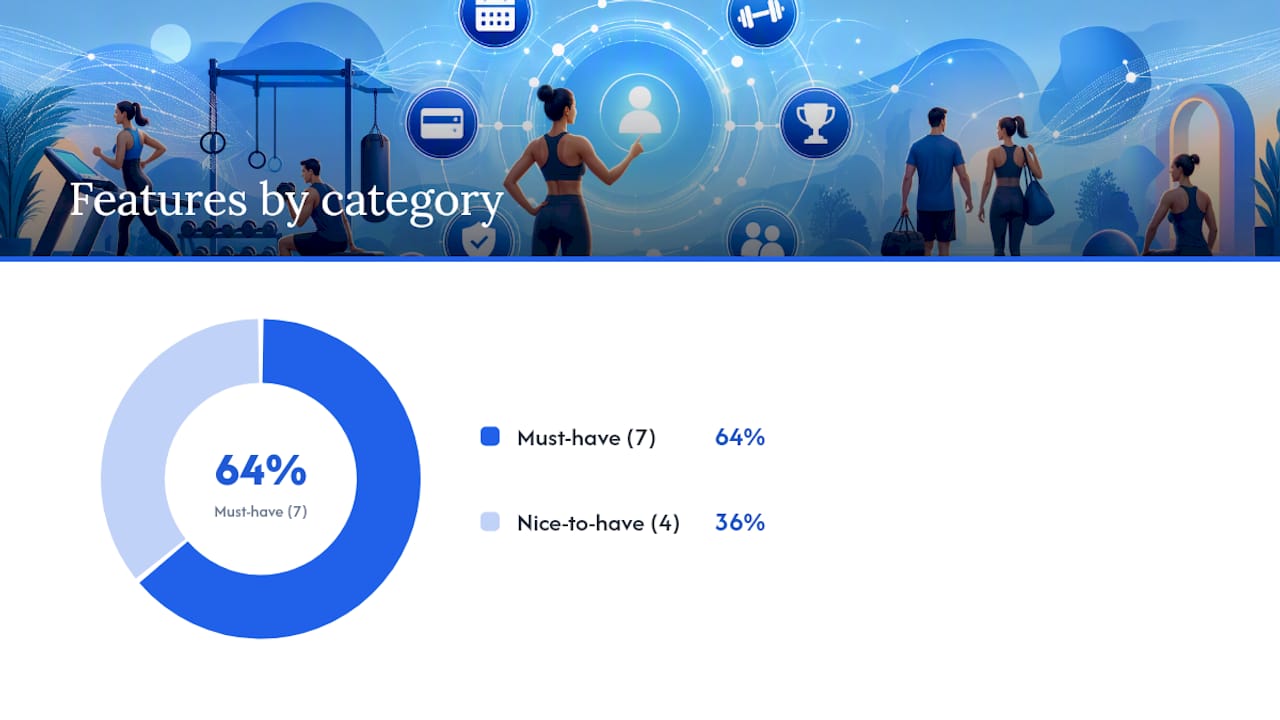
The must-haves are non-negotiable: class and PT booking, recurring membership billing that runs itself, secure payment processing, QR or mobile check-in, member profiles with editable payment methods, downloadable invoices and statements, and push or SMS notifications. Without a mobile app or a genuinely responsive web portal, none of the above gets used consistently. FineGym's member app covers this exact stack in one login.
Nice-to-haves add polish but rarely make or break adoption: loyalty credits, wearable integrations, detailed workout tracking, and two-way messaging with trainers.
| Feature Category | Examples |
|---|---|
| Must-have | Class/PT booking, billing automation, PCI-compliant payments, QR check-in, member profiles, notifications |
| Nice-to-have | Loyalty/credits, wearable sync, workout tracking, trainer messaging |
Pro Tip: Launch with the must-have list only. Add loyalty programs or wearable integrations in phase two, once staff and members are already comfortable with the core booking and payment flow.
How Do You Roll Out a Member Portal Step by Step?
Deployment fails more often from rushed sequencing than from bad software. Follow the order below and you avoid the two most common breakdowns: half-migrated member data and staff who can't answer basic member questions on day one.
- Define scope and requirements with your ops team and, if applicable, franchise leadership.
- Audit existing member and billing data, then build a migration plan with a vendor.
- Set up payment processing and confirm PCI compliance documentation.
- Connect integrations: access control, calendar tools, marketing platforms.
- Train staff on the admin console and common member questions.
- Run a pilot launch with a small member group before full rollout.
- Go live for all members with support staff on standby.
A single studio can realistically move through this in one to two weeks. A multi-location franchise should plan for three to six weeks, mostly because payment and access-control setup take longer to replicate across sites. The biggest risks are migration errors, delayed PCI setup, and member confusion at launch, all of which shrink dramatically with a pilot group first.
Pro Tip: Pick your five most active members for the pilot. If the app works for your power users, it works for everyone else.
What Integrations and Technical Requirements Matter?
A portal that can't talk to your other systems creates more admin work, not less. Before signing anything, confirm these connection points.
- Payment gateway support (Stripe or an equivalent processor) with sandbox testing available
- Accounting or ERP export for reconciling revenue without manual re-entry
- Access control integration for door entry or turnstile hardware
- Calendar sync for staff scheduling and class capacity
- Marketing tool connections for email and SMS campaigns
- REST APIs and webhooks, plus SSO support if your team needs single sign-on
Self-service interfaces like mobile app links and check-in integrations work best when they plug cleanly into existing club systems rather than requiring a separate login for every tool. During demos, ask for a live API call, a sample CSV export, and a sandbox payment run. If a vendor can't produce all three on the spot, that's worth noting.
What Security and Compliance Details Should You Verify?
Payment data is the single biggest liability in a member portal, so treat vendor security claims as something to verify, not assume.
Ask for written PCI DSS compliance status covering hosted payment processing, plus documentation of encryption both at rest and in transit. Request a SOC 2 report or equivalent, a data-processing agreement, and a written incident response policy.
For data migration specifically, insist on a sample export first, a validation plan to check the migrated records, a rollback option if something breaks, and a test environment separate from your live member data.
- PCI DSS compliance documentation for payment processing
- Encryption evidence, at rest and in transit
- SOC 2 or equivalent audit report
- Data-processing agreement and incident response policy
- Migration sample export, validation, and rollback plan
One detail matters more than it sounds: a compliant system stores payment tokens, not raw card numbers, which limits what's exposed if a breach ever happens.
How Do You Get Members to Actually Use the Portal?
Good software that nobody opens is a wasted subscription. Adoption depends on how you introduce it, not just how well it works.
- Send pre-launch communications explaining what's changing and why.
- Post in-gym signage and give staff a simple script for explaining sign-up.
- Set up a kiosk or tablet at the front desk for assisted first-time sign-up.
- Distribute a one-page quick-start guide covering booking and check-in.
- Follow up with push notifications and SMS reminders tied to upcoming classes.
Timing matters as much as content. A welcome SMS on day one, a "how to book your first class" email within 48 hours, and a reminder push notification the morning of a booked class together do more for adoption than a single long onboarding email ever will.
Pro Tip: Offer a small incentive, a free class credit, for the first member action inside the app. It converts curiosity into habit faster than any instructional email.
Pro Tip: Recruit five to ten "champion" members for a soft launch before opening the app gym-wide. Their word-of-mouth does more onboarding work than staff scripts.
What KPIs Prove the Portal Is Working?
Retention and churn rate come first. Track booking conversion rate, no-show rate, the percentage of active members using the app monthly, average revenue per user, and hours of front-desk time saved weekly.
Set a baseline before launch, then check again at 30, 90, and 180 days. Ask your vendor for a dashboard covering these exact metrics rather than building your own tracking spreadsheet from scratch.
- Retention and churn rate, tracked monthly
- Booking conversion and no-show rate
- Monthly active member percentage
- Average revenue per user (ARPU)
- Front-desk hours saved per week
Attribution gets murky when multiple changes happen at once, so isolate the portal launch from other operational changes (new trainers, pricing shifts) whenever you're evaluating its specific impact on retention or upsell revenue.
Why We Recommend a Purpose-Built Gym Portal
A generic CMS plug-in or a cobbled-together stack of a booking widget, a separate payment processor, and a spreadsheet for check-ins will technically work for a while. It also breaks down exactly when you need it most, at renewal season or during a location expansion. A purpose-built platform keeps scheduling, billing, and check-in under one login, which means fewer support tickets and a member experience that doesn't feel stitched together. If you're evaluating options, follow the implementation checklist above and ask any vendor, FineGym included, for a pilot before committing.
Get Your Member Portal Running With Finegym
FineGym gives your members one place to book, pay, and check in, so your front desk stops fielding the same three requests all day. The platform covers class scheduling, automated recurring billing, QR-code check-ins, and a member mobile app, all connected to the same profile and payment data instead of three disconnected tools.
If you're running a multi-location franchise, FineGym's health club solution handles cross-site membership and reporting without extra setup per location. For class-based studios, the group fitness management page maps directly to the scheduling and attendance features covered earlier in this guide. FineGym's team also supports data migration and staff onboarding, so the implementation timeline above doesn't fall entirely on your shoulders.
Ready to see it firsthand? Visit the complete gym management solution page to review full feature details and book a demo before your next billing cycle starts.
Frequently Asked Questions
What is a member self service portal?
It's the app or web dashboard where gym members book classes, pay invoices, check in, and manage their own profile without needing front-desk help.
Does a member portal replace front-desk staff?
No. It removes repetitive tasks like rebooking and payment updates, freeing staff to focus on coaching, sales, and member relationships instead.
How long does it take to launch a member portal?
A single studio can go live in one to two weeks. Multi-location franchises typically need three to six weeks for payment and access-control setup across sites.
Is member payment data safe in a self-service portal?
A compliant platform stores tokenized payment data rather than raw card numbers, and should provide PCI DSS documentation along with encryption evidence on request.
What's the fastest way to get members using the portal?
Combine a soft launch with a small group of active members, a welcome SMS on day one, and a small incentive like a free class credit for the first booking.
Sources
- 5 reasons your gym needs a custom app to boost member retention | Jotform Blog
- Football club paperwork reduction tips for 2026 | FCOPS
- Game Management App | Roster Sports