
A family membership gym plan is a single household account that your gym sells, bills, and manages as one product, not a bundle of separate memberships that happen to share a last name. Before you build anything else, decide whether you're charging per-person or per-household. That one choice determines your billing logic, your proration rules, and how your reporting reads six months from now. Get it wrong and you'll be untangling mismatched invoices during your busiest renewal season.
Here's the action checklist to run before you touch your pricing page:
- Pick a billing model: per-person seat pricing or a flat household rate.
- Define primary payer rules, including who owns the card on file and who can edit it.
- Build the plan SKU (or SKUs) inside your gym-management software.
- Configure member profiles, relationship tags, and access permissions.
- Set billing cycle and proration rules before your first household signs up.
Platforms like FineGym treat household accounts as a distinct object type, not a workaround, which matters once you start tracking ARPU (average revenue per household) and LTV (lifetime value) as separate metrics from individual-member numbers. Those two figures will tell you within a quarter whether your family plan is actually profitable or just popular.
Key Takeaways
A successful family membership gym plan depends on choosing a billing model, structuring household data correctly, and automating proration and dunning before launch.
| Point | Details |
|---|---|
| Choose billing model early | Decide per-person versus per-household pricing before building any plan SKU. |
| Structure the data model | Separate household, primary payer, and linked member profiles with distinct permission roles. |
| Automate proration and dunning | Use a pro rata formula for mid-cycle changes and a defined retry schedule for failed payments. |
| Test before full rollout | Run billing, check-in, waiver, and cancellation scenarios during a parallel run phase. |
| Use FineGym's household tools | FineGym's linked-profile and member-operations features handle billing, proration, and portal access in one system. |
Table of Contents
- What Should You Plan Before Designing a Family Membership Gym Plan?
- Which Pricing Models Work Best for Household Plans?
- How Do You Structure Household Accounts and Member Profiles?
- How Should Billing and Proration Work for Family Plans?
- What Portal and Communication Features Do Households Need?
- How Do Family Members Check In and Access the Gym?
- Which Metrics Should You Track After Launching Family Plans?
- How Do You Migrate Data and Test Before Rollout?
- What Mistakes Should You Avoid With Family Membership Plans?
- How Does FineGym Support Household and Family Membership Plans?
- What Do Operators Actually Learn From Running Family Plan Launches?
- Sources
What Should You Plan Before Designing a Family Membership Gym Plan?
Pricing comes later. Scope comes first, and skipping this step is the single most common reason family plans get expensive to maintain.
Work through these discovery questions with your team before you open your software's plan builder:
- Who counts as a household? Spouses only, or does it extend to adult children, roommates, or grandparents?
- What's included by default versus sold as an add-on: kids' programming, guest passes, class credits?
- Do location or franchise rules apply if a household trains at more than one site?
- Who on staff owns the rollout, front desk, billing admin, or the general manager?
Set your measurement framework at the same time you set scope, not after launch:
- ARPU per household
- Failed payment rate
- Household churn rate
- Conversion rate from solo membership to family plan
- Incremental revenue per upsell (extra child slot, added class pack)
Two decisions here will quietly determine how complex your build gets later. First, shared access versus individual credentials: does everyone in the household get their own check-in ID, or does the family share one? Second, whether child add-ons are free or discounted. Neither answer is wrong, but pick one before you start building SKUs, because retrofitting a pricing structure onto live billing data is far messier than designing it right the first time.
Which Pricing Models Work Best for Household Plans?
Five structures cover almost every gym's needs, and most operators land on a hybrid of two.
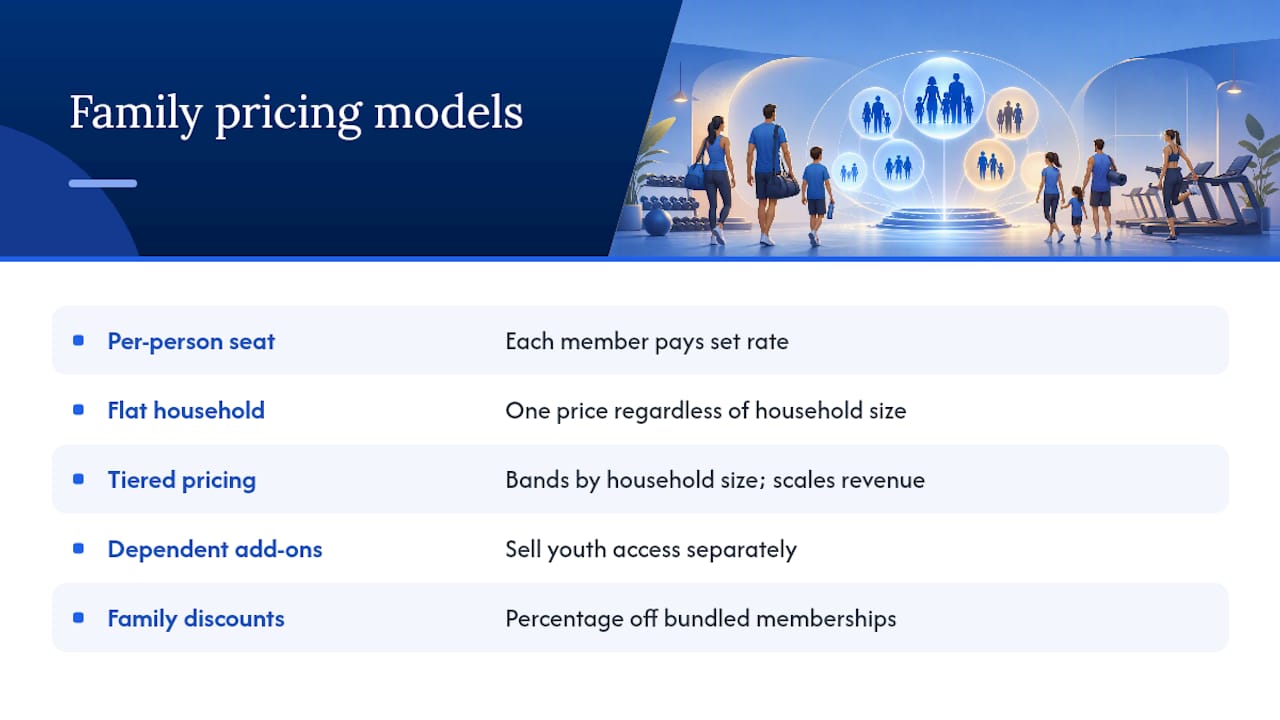
Per-person seat pricing charges each household member a set rate, often discounted versus a standalone solo membership. Flat household pricing charges one price regardless of how many people are on the account, which simplifies billing but risks underpricing large households. Tiered pricing breaks households into bands, typically 1 to 2 members, 3 to 4, and 5 or more, so revenue scales with actual usage. Dependent or child add-ons let you sell youth access separately from the adult base rate. Family discounts apply a percentage reduction to a bundle of individual memberships rather than restructuring pricing entirely.
Here's how those models play out for a mid-size gym running 40 household accounts:
Tiered pricing edges out the others in this scenario because it captures more revenue from larger households without punishing two-person families with a flat rate built for five. Run your own numbers against your actual member distribution before committing, as revenue results can vary significantly based on household composition.
Pro Tip: Test a new family tier with a 60-day promotional rate and a modest one-time setup fee instead of a permanent discount. It gives you real uptake data without locking in a price you can't walk back if the math doesn't work.
How Do You Structure Household Accounts and Member Profiles?
Your software needs to represent three layers: the household account itself, the primary payer, and each linked member. Get this data model wrong and every downstream workflow, billing, reporting, access control, inherits the mess.
The household record sits at the top. It holds the plan SKU, billing cycle, and payment status. The primary payer profile links to that record and carries the tokenized payment method. Linked member profiles attach underneath, each carrying a relationship tag (spouse, child, dependent) and a unique check-in ID.
| Field | Required For | Notes |
|---|---|---|
| Full name, DOB | Billing, compliance | DOB flags minors for consent workflows |
| Contact info | Communications | Per-member or shared, depending on age |
| Payment token | Billing | Lives on primary payer only |
| Waiver consent | Legal/compliance | Captured per linked member |
| Emergency contact | Safety/compliance | Required for minors especially |
| Relationship to primary | Reporting, permissions | Drives role flags below |
Permissions follow naturally from those relationship tags: primary payer (billing control, can edit all profiles), adult member (check-in access, personal profile edits only), and child member (check-in access, no billing or edit rights). Surface these role flags in your reporting dashboard and your member portal alike, so front desk staff and the household itself see the same permission structure. FineGym's membership-management feature set supports linked household profiles built around exactly this structure, which cuts down the manual workarounds gyms often build with spreadsheets.
How Should Billing and Proration Work for Family Plans?
The core workflow is straightforward on paper: one card, one recurring charge, multiple linked members. The primary payer's card gets billed on the household cycle, and each linked member's activity shows up on that single invoice, itemized by name if your software supports it. Manual-payment households need the same itemization on a physical or emailed invoice.
Proration is where most billing headaches start. The standard formula: credit = plan price × (remaining days ÷ billing cycle days). Say a household on a $129 tiered plan (30-day cycle) adds a third member on day 20. Ten days remain, so the incremental charge for that partial month is prorated to roughly a third of the monthly upgrade cost, not the full new-tier price. FineGym's plan-switching feature automates this calculation so front desk staff aren't running math by hand mid-shift.
Dunning matters more for family plans than solo ones, because a single failed card locks out every linked member, not just one. Build this sequence:
- Retry the charge 3 days after failure, then again at day 7.
- Send an automated payment-failure alert to the primary payer immediately, then a reminder at each retry.
- Apply a grace period, typically 5 to 10 days, before restricting access.
- Freeze rather than cancel if the household requests a pause; freezing pauses billing without losing the account setup.
Failed payments are a bigger drag on family plans specifically because one card outage affects multiple people's access at once, which is exactly why the proration and billing tools built for multi-member accounts need to handle retries and freezes cleanly, not as an afterthought bolted onto solo-member billing logic. Store tokenized payment IDs and last-4 digits for customer service reference, along with a timestamped consent record for the recurring charge itself. That audit trail saves you during disputes.
What Portal and Communication Features Do Households Need?
A family membership's biggest hidden cost is admin time, specifically, front desk staff fielding "can you update my card" and "did my payment go through" questions. A well-configured member portal eliminates most of that traffic.
Enable these portal features for household accounts:
- Payment method updates, controlled by the primary payer only.
- Per-member attendance history, visible to the account owner.
- A digital family membership card accessible through the member mobile app, so nobody's fumbling for a physical card at check-in.
- Profile editing for linked members, within permission limits.
Waivers need the same per-member granularity as billing. Attach a signed waiver and consent metadata, timestamp, IP or device info, guardian signature where relevant, to each linked profile individually, not to the household as a blanket agreement.
Automated communications carry real weight here. Set up triggers for: payment receipts (itemized per member), failed payment alerts to the primary payer, renewal notices at 14 and 3 days out, freeze confirmations, and a welcome sequence when a household first joins. Frame these messages around what the household gains, easier self-service, one less thing to track, rather than describing them as a system notification. Enabling and actually promoting the portal meaningfully cuts basic admin tasks like payment questions and invoice disputes.
How Do Family Members Check In and Access the Gym?
Linked members need their own credentials even when billing is centralized. The common options: a QR code tied to each individual profile in the mobile app, a physical access card, a numeric member ID for manual entry, or app-based check-in through geofencing or a tap.

A few enforcement details matter specifically for household plans. If your plan includes per-person visit caps, your system needs to track visits against the individual profile, not the household total. Guest passes should attach to the household account with a defined monthly allotment, redeemable by any linked adult. Simultaneous check-ins, two family members scanning in within seconds of each other at different entrances, are a real edge case worth testing before launch, since some access hardware queues rather than parallel-processes rapid scans.
On the hardware side, confirm your turnstiles or scanners read the household flag correctly so a front desk override isn't needed every time a child member checks in separately from a parent.
Which Metrics Should You Track After Launching Family Plans?
Launch day isn't the finish line. The real test of a family plan happens over the following 90 days, and you need a dashboard built to catch problems early.
Track these KPIs on a recurring basis:
- ARPU per household and ARPU per individual member (track both, they tell different stories).
- Household churn rate, separate from solo-member churn.
- Failed payment rate specific to household accounts.
- LTV per household.
- Conversion rate from solo to family plan.
- Incremental revenue generated by add-ons (extra members, class packs).
| Dashboard Widget | What It Shows |
|---|---|
| Household revenue over time | Trend line for household-specific MRR |
| New household signups | Weekly or monthly acquisition volume |
| Prorated adjustments summary | Total credits/charges from mid-cycle changes |
| Failed-payment trend | Rate and recovery success over time |
| Membership freeze counts | Volume and average freeze duration |
Segment every one of these by plan type, location, and acquisition channel. A family plan that performs well at your flagship location might flop at a satellite studio with a different member demographic, and you won't catch that without splitting the data.
How Do You Migrate Data and Test Before Rollout?
Migration is where most family membership launches quietly go sideways, usually because nobody cleaned the source data before importing it.
Build your migration spreadsheet with these required columns: household ID, primary payer name and contact, linked member IDs, relationship tags, payment token status, waiver status per member, and plan start/end dates. Before import, normalize name formatting, standardize relationship labels (spouse, child, dependent, consistently spelled), and remove duplicate member records. Dirty imports commonly break automated billing and communication triggers, creating manual cleanup work that eats into the first month after go-live.
Run these test scenarios before you flip the switch:
- Create a test household with three linked members and confirm billing itemizes correctly.
- Simulate a failed payment and confirm the dunning sequence fires as configured.
- Test proration by adding a member mid-cycle and verifying the credit calculation.
- Switch one member from an individual plan into the household account and back.
- Test check-in behavior for two linked members scanning within seconds of each other.
- Confirm waiver capture and consent storage for a minor requiring guardian sign-off.
Plan for a parallel run: keep your old system and new household structure operating side by side for two to four weeks, reconciling revenue daily, before fully retiring the legacy setup. This phased approach with staff training built in ahead of go-live catches the errors that only surface once real households start using the system.
What Mistakes Should You Avoid With Family Membership Plans?
A handful of predictable errors account for most of the support tickets gyms generate after a family plan launch.
- Importing messy source data without normalizing names or removing duplicates first.
- Forgetting to explicitly tag a primary payer, leaving billing ownership ambiguous.
- Treating linked household members as independent billable profiles instead of children of one account.
- Skipping proration rules entirely, then manually calculating every mid-cycle change by hand.
- Failing to capture parental consent for minors as a distinct, stored record.
On the consent point specifically: store a signed waiver and, where a linked member is a minor, a parent or guardian's consent record with a timestamp, attached to that individual profile. This is an operational habit, not legal advice, but skipping it creates real exposure if a dispute ever arises.
Prepare your customer service team for household-specific scenarios before they come up live: a billing dispute where the primary payer disputes a charge covering multiple people, a single member wanting to cancel out of an active household plan, and membership transfers when one household splits into two. Script these situations in advance so front desk staff aren't improvising policy on the spot.
Pro Tip: Write a one-page decision tree for "member wants to leave a family plan" scenarios. Ninety percent of the awkward front-desk moments come from staff not knowing whether a partial cancellation is even allowed under your plan structure.
How Does FineGym Support Household and Family Membership Plans?
Everything covered above maps directly onto specific FineGym capabilities, so you're not reinventing workflows the platform already handles.
| Capability Needed | FineGym Feature |
|---|---|
| Household accounts with linked profiles | Membership management |
| Primary payer billing, proration | Member operations tools |
| Member self-service portal | Membership management |
| QR check-ins per linked member | Gym management platform |
| Automated payment and renewal alerts | Notification features |

Setup inside FineGym follows the same order this guide walked through: create the household account, assign the primary payer and payment method, configure proration rules for plan switches, then enable the member portal features (payment updates, attendance history, digital card) for linked members. If your household plan includes group classes, the group fitness scheduling tools sync attendance data straight into the same household record, so you're not maintaining separate systems for billing and class tracking.
If you're still deciding whether a full paid tier makes sense, FineGym's free gym management software lets you build and test a household plan structure before committing budget to it. Once you've confirmed the model works for your member base, the full feature set scales with you as household accounts grow.
What Do Operators Actually Learn From Running Family Plan Launches?
Most family plan failures aren't pricing mistakes. They're sequencing mistakes, gyms build the pricing model first and the operational plumbing second, then spend three months untangling billing tickets that a proper account structure would have prevented.
Phase your rollout in small batches. Launch the family plan to a handful of interested households before opening it gym-wide, and watch the failed-payment rate and support ticket volume closely during that first cycle. It tells you more about your setup than any spreadsheet projection will.
Staff training matters more for family plans than for solo memberships, specifically because front desk teams need a clear answer for "why did my whole family get locked out" before it happens live, not after. Give staff a one-page script for the three most common questions: payment updates, adding a member mid-cycle, and freeze requests. Vague answers here erode trust fast, since a household paying one bill for multiple people expects a coherent explanation when something goes wrong.
The gyms that get this right treat the discovery-to-launch sequence, discovery, design, setup, test, launch, as non-negotiable, even when leadership wants to skip straight to a pricing announcement. Every shortcut in that sequence shows up later as a support ticket.
Sources
- How to Set Up Gym Membership Billing Software