
Twilio's Programmable Messaging API sends and receives SMS through a single POST request to the Messages resource. Sign up for an account, generate API credentials, provision a sender, and run one quickstart to send your first message. From there, the real work is webhooks, sender compliance, and production hardening, which we cover step by step below.
TL;DR:
- Most SMS costs increase with message length and encoding, especially when using emojis or accented characters that switch the billing from 160 to 70 characters per segment.
- Register for A2P 10DLC and properly classify your campaign use case to avoid filtering, with opt-in, opt-out, and compliance measures serving as the foundation for reliable delivery.
- Webhook validation, idempotent handlers, and retry logic are essential for scalable, reliable inbound message processing and avoiding duplicate operations.
- Media attachments are limited to 5 MB for JPEG, PNG, and GIF files, but carrier support can vary, so real-world testing on target networks is necessary beforehand.
- Using a Messaging Service instead of a single number is recommended for scalable, failover-ready SMS infrastructure, especially as message volume and complexity grow.
Table of Contents
- What Twilio SMS Integration Actually Gives You
- Setting Up Your Twilio Account and Choosing a Sender
- How to Send an Outbound SMS With the Message Resource
- Receiving Inbound SMS and Setting Up Webhooks
- MMS Media Types and Size Limits
- A2P 10DLC, Toll-Free Verification, and Staying Compliant
- Testing Your Integration Before You Ship
- Building an Integration That Scales
- Where to Go Next
- Where Gym Software Meets Twilio-Style Messaging
- Sources
What Twilio SMS Integration Actually Gives You
Twilio's Programmable Messaging API is a text and media messaging layer you control entirely through HTTP requests. You send a message with a POST, you receive one through a webhook Twilio calls on your server, and you receive delivery feedback through status callbacks. That's the whole shape of it. Everything else, compliance, sender types, media handling, builds on that same core loop.
Most teams start with one of these use cases:
- Transactional notifications — appointment confirmations, shipping updates, billing alerts
- Two-factor verification — one-time passcodes for login or account recovery
- Two-way conversations — customer support or booking threads where members text back
- Marketing and re-engagement — promotions, win-back campaigns, event reminders
SMS is also one channel among several Twilio supports, alongside WhatsApp and voice, so the same API design you build for text messages tends to extend cleanly if you add channels later. That's a deliberate design choice worth leaning on: build the core send/receive flow first, prove it works, then layer in scheduling or additional channels without rewriting your integration from scratch.
Setting Up Your Twilio Account and Choosing a Sender
Before you write a line of code, you need three things: an account, credentials, and a sender. Here's the sequence that avoids rework later.
- Create a Twilio account and locate your Account SID in the console dashboard. This identifies your account on every API call.
- Generate an API key rather than using your Auth Token directly in application code. API keys can be scoped and revoked independently, which matters the moment more than one service or developer touches the account. Store both in environment variables or a secrets manager, never in source control.
- Provision a sender. For early testing, Twilio's Virtual Phone gives you a number to experiment with before you commit to a real one. For production, you'll buy a phone number, port an existing one, or set up a short code depending on your volume needs.
- Consider a Messaging Service instead of a single hardcoded number. A Messaging Service lets you group multiple senders into a pool, so Twilio can route messages across numbers automatically and fail over if one sender hits a delivery issue. If you expect to scale past a handful of messages a day, set this up from day one rather than retrofitting it.
One detail that trips up teams with data residency requirements: Twilio runs region-specific base URLs, such as IE1 for European data handling. If your compliance requirements dictate where message data is processed and stored, you need to point your API calls at the correct regional endpoint rather than the default global one. Most US-only applications never need to touch this setting, but it's worth checking before you assume the default behavior fits your legal obligations.
How to Send an Outbound SMS With the Message Resource
Sending a message means one HTTP POST to your account's Messages resource. Three parameters are required: To (the recipient's number in E.164 format), From (your Twilio number or a Messaging Service SID), and Body (the text itself). Authenticate the request with your Account SID and API key.
Here's a minimal Node.js example using the Twilio helper library, reading credentials from environment variables the way Twilio's own quickstart recommends:
const twilio = require('twilio');
const client = twilio(process.env.TWILIO_API_KEY, process.env.TWILIO_API_SECRET, {
  accountSid: process.env.TWILIO_ACCOUNT_SID
});

client.messages
  .create({
    body: 'Your class starts in 30 minutes.',
    from: process.env.TWILIO_PHONE_NUMBER,
    to: '+15558675309',
    statusCallback: 'https://yourapp.com/sms-status'
  })
  .then(message => console.log(message.sid));
And the equivalent in Python:
from twilio.rest import Client
import os

client = Client(os.environ['TWILIO_API_KEY'], os.environ['TWILIO_API_SECRET'],
                 os.environ['TWILIO_ACCOUNT_SID'])

message = client.messages.create(
    body='Your class starts in 30 minutes.',
    from_=os.environ['TWILIO_PHONE_NUMBER'],
    to='+15558675309',
    status_callback='https://yourapp.com/sms-status'
)
print(message.sid)
A few things that matter more than they look like they should:
- Message length and encoding affect billing. Standard SMS uses GSM-7 encoding up to 160 characters per segment. The moment your text includes emoji or certain accented characters, Twilio switches to UCS-2 encoding, which caps segments at 70 characters and multiplies your per-message cost if the text runs long. Keep this in mind for any message template that includes special characters.
- Long messages get segmented automatically and you're billed per segment, not per message. A 300-character GSM-7 message becomes two segments, not one.
- Attach media with
MediaUrlto send an MMS instead of plain text. Twilio creates a Media resource for each attachment and returns its URL in the message response, according to the Message resource API reference. - Use
StatusCallbackto get a webhook fired at each delivery lifecycle stage (queued,sent,delivered,failed), which is how you'll build any dashboard or retry logic without polling.
Receiving Inbound SMS and Setting Up Webhooks
Receiving a message works in reverse: Twilio calls a webhook URL you configure, not the other way around. In the Twilio Console, set the "A message comes in" field on your phone number or Messaging Service to your public endpoint, something like https://yourapp.com/incoming-sms.
When a message arrives, Twilio sends a POST with parameters including From, To, Body, and MessageSid. Your endpoint parses that payload and decides what to do with it.
- Verify the request signature on every inbound webhook. Twilio signs each request with your Auth Token, and skipping validation means anyone who finds your endpoint URL can spoof messages into your system.
- Design handlers to be idempotent. Webhook retries happen, and a handler that isn't safe to run twice can double-charge a member or double-book a class if Twilio redelivers the same event, a risk Twilio's own security guidance calls out directly.
- Respond with TwiML if you want an immediate auto-reply, or return an empty 200 response and trigger a separate outbound message through the REST API if your reply logic needs more processing time.
- Never expose your Auth Token or API secret in client-side code or logs, even temporarily for debugging.
Pro Tip: Build your webhook handler to log the raw payload before you do anything else with it. When something breaks in production, that raw log is often the fastest way to spot whether the problem is malformed data, a signature mismatch, or your own parsing logic.
MMS Media Types and Size Limits
Sending images alongside text works the same way as plain SMS, with a MediaUrl parameter added to your POST. Twilio supports jpeg, jpg, png, and gif formats.
- JPEG, JPG, PNG, and GIF files: up to 5 MB per file
- Other accepted media types: capped at 500 KB
- You can attach multiple media URLs to a single message, and Twilio creates a separate Media resource for each one.
These limits come directly from Twilio's documented file type and size specifications. One caveat worth planning around: not every carrier handles MMS the same way. Delivery success for media messages can vary by carrier and destination, so test with real handsets on your target carriers before you assume an image-heavy campaign will render the same way everywhere.
A2P 10DLC, Toll-Free Verification, and Staying Compliant
Most SMS delivery failures in production have nothing to do with your code. They come from unregistered traffic getting filtered by carriers. For any US application sending from a standard long-code number, A2P 10DLC registration is how carriers separate legitimate business messaging from spam, and skipping it is the single most common cause of "my API call succeeded but the message never arrived."
- Register a business profile with Twilio, including your legal business information, so carriers can verify who's sending.
- Register a campaign use case describing what kind of messages you're sending (mixed, marketing, notifications, 2FA, and so on). Carriers use this to set throughput limits and filtering rules specific to your traffic type.
- Choose the right sender type for your volume. A2P 10DLC long codes work for most transactional and conversational use cases. If you need high-throughput, one-way broadcast messaging, a toll-free number or short code may fit better, though both carry their own verification processes and cost more.
- Build opt-in and opt-out handling into your application logic, not as an afterthought. Every campaign registration expects clear consent language before you send your first message, and a working
STOPkeyword handler that actually suppresses future sends.
The operational side matters as much as the paperwork. Carriers watch for consistent sending patterns, matching your registered use case, appropriate message frequency, and clean list hygiene, according to Twilio's compliance guidance. Get this wrong, and carriers throttle or silently drop your messages even when Twilio's API reports a successful send.
Pro Tip: Start your A2P 10DLC registration the same week you start building, not the week before launch. Carrier vetting and campaign approval can take days, and a delay here has stalled more launch timelines than any code problem.
Testing Your Integration Before You Ship
You don't need a live production number to validate your integration. Two tools handle almost every testing scenario:
- Use ngrok to expose your local development server to the internet, then point Twilio's webhook configuration at the ngrok URL. This lets you test inbound message handling against real Twilio requests without deploying anything.
- Use Twilio's Virtual Phone for sandbox testing when you don't have a physical handset handy, or want a quick way to trigger inbound test messages.
- Watch your message logs in the console and check error codes when something fails. Most issues trace back to a handful of causes: numbers not in E.164 format, expired or mismatched credentials, or a webhook signature that fails validation because the request body was modified in transit.
- Use StatusCallback during testing, not just production, to confirm your delivery lifecycle logic actually fires the way you expect before real members are on the other end.
Building an Integration That Scales
A send/receive flow that works in a demo and one that survives production traffic are different engineering problems. A few patterns separate the two:
- Route through a Messaging Service, not a single hardcoded number, so Twilio can distribute sends across a sender pool and fail over automatically if one number runs into carrier trouble.
- Build idempotency into every webhook handler. Retried deliveries should never trigger a duplicate booking confirmation or a second billing charge.
- Add retry logic with backoff for outbound sends, but respect Twilio's rate limits rather than hammering the API on failure. Aggressive retries during an outage tend to make throttling worse, not better.
- Tag messages for analytics using custom parameters or your own database records tied to the
MessageSid, so you can trace delivery status and campaign performance without re-querying Twilio for every message. - Plan your sender upgrade path early. A2P 10DLC long codes handle most transactional volume, but if you're sending at real scale, a short code or toll-free number gives you materially higher throughput. Knowing that threshold before you hit it saves a scramble later.
Pro Tip: Treat your Messaging Service configuration as infrastructure, not a one-time setup step. Revisit sender pool health and throughput limits every time your message volume grows by an order of magnitude.
Where to Go Next
Once your first test message sends successfully, the practical sequence is: validate webhooks with a real inbound reply, configure a Messaging Service for your senders, then register for A2P 10DLC before any real US traffic goes out.
Bookmark these for implementation:
- Programmable Messaging API overview for the full capability set
- Message resource API reference for every request and response parameter
- SMS developer quickstart for working code in your language of choice
- A2P 10DLC compliance guide before you send a single production message to US numbers
Keep credentials in environment variables from your very first commit. Retrofitting that habit after a secret leaks into version control is a much worse afternoon than setting it up correctly now.
Where Gym Software Meets Twilio-Style Messaging
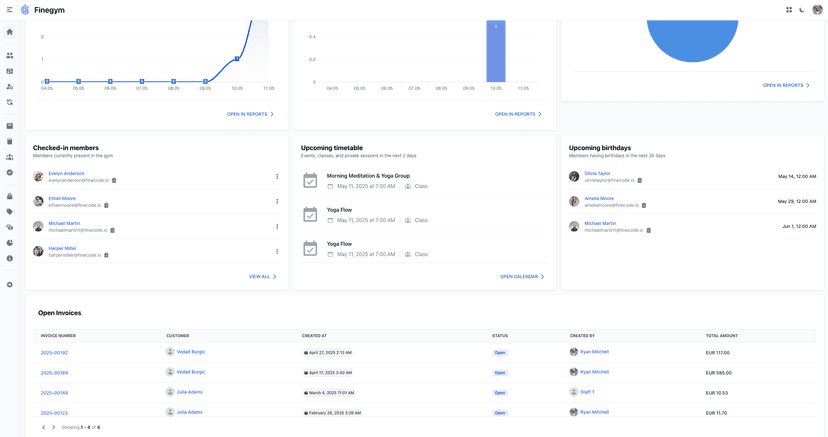
Gyms run on the same messaging patterns developers build with Twilio, just applied to a specific set of recurring problems. A member books a 6 a.m. class and needs a reminder text an hour before. A billing cycle runs and a card fails, and someone needs to know before their membership lapses. A member hasn't checked in for three weeks, and a re-engagement text works better than another email that goes unopened.
These are the exact use cases the Message resource POST was built for: transactional, time-sensitive, and expected to land in a pocket rather than an inbox. At Finegym, we built automated member notifications around this same logic, so gym owners get the benefit of SMS-driven engagement without writing a Messaging Service integration from scratch. Class reminders tie into scheduling workflows, billing alerts tie into payment processing, and check-in confirmations tie into the member app experience members already use daily.
The compliance side matters here too. A gym sending appointment reminders and billing alerts to hundreds of members a month runs into the same A2P 10DLC and opt-out requirements any developer building a standalone integration would face. Gyms exploring SMS as part of a broader retention or acquisition strategy often pair it with dedicated marketing support, and partners focused specifically on SEO for gyms can round out the growth side of that equation.
If you're a gym owner rather than a developer, the practical takeaway is this: you don't need to build any of the above to get the benefit of it. Finegym's gym management software handles the messaging infrastructure, scheduling triggers, and billing hooks as part of one platform, so class reminders and payment alerts just work without a line of API code on your end.
Twilio's raw API gives developers precision and control, but most gym operators don't need to own that complexity to get the outcome. What they need is fewer no-shows and fewer lapsed memberships, and the messaging layer is just the mechanism, not the goal.
— Vedad