Implementing gym management software can be a game-changer for fitness professionals. From streamlining operations to boosting member engagement, the right software helps gym owners focus on what they do best---building healthier lives and communities. But let's face it, transitioning to a new system can feel overwhelming. Where do you start? How do you ensure everything runs smoothly?
This guide simplifies the process with comprehensive onboarding checklists, tailored specifically for gym owners. By breaking it down into manageable steps for each implementation phase and business function, you'll have a clear path to successfully adopting gym management software like Finegym. For detailed implementation guidance, explore our complete implementation guide.
Why Onboarding Matters for Gym Software Success
A well-planned onboarding process is crucial for the successful integration of gym management software. Research shows that most successful software implementations rely heavily on proper onboarding and change management strategies. Effective onboarding ensures:
- Minimal disruption to your daily operations.
- Your team is trained and confident in using the software.
- Members enjoy a seamless transition.
- You maximize the software's features to grow your business.
- Faster ROI realization - properly onboarded gyms see benefits much faster than those with poor implementation.
Without proper onboarding, gyms risk delays, operational hiccups, and underutilized software capabilities. Industry data reveals that many software projects fail due to inadequate user adoption and training. But with a solid plan in place, you'll be off to the races.
The Cost of Poor Implementation
Consider these real-world scenarios:
-
Scenario A: A 500-member gym in Austin spent 6 months struggling with their new software due to insufficient training. Staff resistance led to dual systems running simultaneously, creating member confusion and $15,000 in wasted operational costs.
-
Scenario B: A boutique fitness studio in Portland followed a structured onboarding plan similar to Finegym's approach. They achieved full adoption in 3 weeks, saw significant improvement in class booking efficiency, and increased member engagement substantially within the first month.
What Sets Successful Implementations Apart
High-performing gyms that successfully implement management software share common characteristics:
- Executive buy-in: Leadership actively supports and promotes the change
- Dedicated resources: Allocating specific time and personnel for implementation
- Phased rollout: Implementing features gradually rather than all at once
- Continuous support: Ongoing training and optimization beyond initial setup
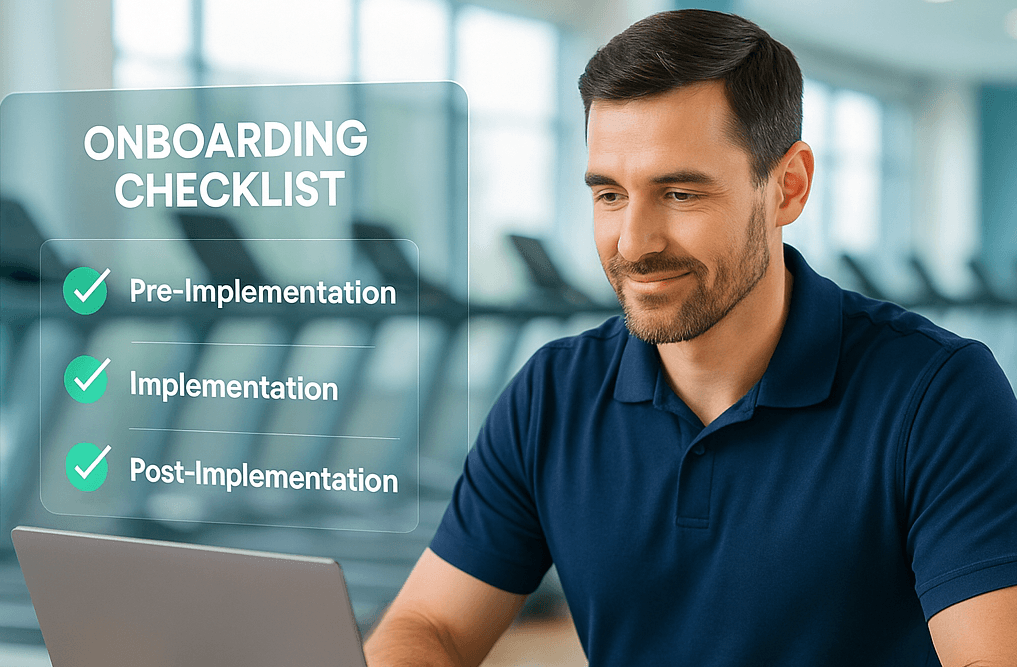
The Secret to Success? A Strategic Checklist.
Here's how you can break down the onboarding process. We've categorized the checklists by phases and business functions.
Phase 1: Pre-Implementation Checklist
Before you even log into your new gym management software, preparation is key. Use this checklist to set a solid foundation.
1. Evaluate Your Business Needs
- Identify your gym's primary challenges (e.g., scheduling conflicts, member retention, billing inefficiencies).
- Determine the key features you need, such as automated reminders, advanced reporting, or class scheduling.
2. Choose the Right Gym Software
- Research the best gym management software options (e.g., Finegym) that address your needs.
- Assess ease of use, scalability, integration capabilities, and user reviews.
- Look for software that simplifies tasks like member engagement and fitness center management.
- Evaluate key features essential for modern gym operations:
- Member management system with comprehensive profiles and communication tools
- Automated scheduling for classes, personal training, and facility bookings
- QR code check-in capabilities for contactless member access
- Integrated Stripe payment processing for seamless billing
- Mobile app functionality to enhance member experience
- Advanced analytics and reporting for data-driven decision making
- Document management for waivers, contracts, and member files
- Staff management tools for scheduling and performance tracking
3. Create Implementation Timeline
- Develop a realistic timeline that allows for proper training and testing
- Week 1-2: Software setup and configuration
- Week 3: Staff training and internal testing
- Week 4: Member communication and app rollout
- Week 5: Full launch with monitoring and support
- Build in buffer time for unexpected challenges or additional training needs
4. Prepare Your Team
- Assign a dedicated champion or project lead for the onboarding process.
- Communicate with staff about the upcoming changes and specify what's expected from them.
- Schedule time for training sessions during quieter periods.
- Address resistance early: Survey staff to identify concerns and create targeted solutions
- Define roles and responsibilities: Clearly outline who will handle different aspects of the new system
- Set performance expectations: Establish metrics for successful adoption (e.g., 90% of check-ins processed through new system within 2 weeks)
5. Map Out Data Migration
- Take stock of your existing member database, class schedules, and financial records.
- Ensure your new software offers easy data migration tools to reduce errors.
- Clean your existing data: Remove duplicates, update expired information, and standardize formats
- Create data backups: Maintain multiple copies of your current system data before migration
- Test migration with sample data: Run a small-scale migration to identify potential issues
- Validate data accuracy: Cross-check migrated information against original records
For comprehensive migration planning, review our detailed data migration guide that covers complex data scenarios.
Pro Tip
Finegym simplifies data migration with step-by-step assistance, ensuring a stress-free switch from your old system.
Phase 2: Implementation Checklist
You've selected your software and completed prep work. Now it's time to hit the ground running with Finegym.
1. Set Up Your Software
- Customize settings to match your gym's branding, pricing, and schedule.
Example tasks with Finegym:
- Add your gym's logo and business information in the Business Settings section
- Configure membership plans with appropriate pricing, check-in rules, and expiration settings
- Set up your class schedule with instructor assignments and capacity limits
- Configure automated workflows:
- Enable automated member check-in with QR codes
- Set up appointment booking rules
- Configure email notifications for bookings and billing
2. Staff Training
- Host hands-on training sessions for your team.
- Focus on the features they'll use daily:
- Member check-in using Finegym's front desk mode
- Class and appointment scheduling
- Membership management and sales
- Payment processing
- Share Finegym's documentation and video tutorials for reference.
- Create role-specific training modules:
- Front desk staff: Check-in procedures, membership sales, basic troubleshooting
- Trainers and instructors: Class management, member communication, schedule updates
- Management: Analytics dashboard, reporting, staff management tools
- Sales team: Lead tracking, membership options, payment processing
- Implement competency testing: Ensure each staff member demonstrates proficiency before going live
- Establish a buddy system: Pair experienced staff with newer team members during transition
For streamlined training approaches, explore our efficient staff training guide designed for quick team onboarding.
3. Member Communication
- Notify all members about the software upgrade through email, in-app notifications, or social media.
Example message:
"We're making exciting upgrades to serve you better! Starting next week, we'll be using Finegym to manage our gym. You'll receive instructions to download our new member app for easy class booking and check-ins."
- Highlight new member benefits:
- Mobile app for booking classes and appointments
- QR code check-in for contactless access
- Online membership account management
- Easy access to schedules and booking history
4. Pilot Test the System
- Roll out the system with team members first to catch and resolve any issues.
- Test the core functions in Finegym:
- Process a few test membership sales
- Book sample classes and appointments
- Test QR code and PIN check-ins
- Run reports to ensure data is tracking correctly
Phase 3: Post-Implementation Checklist
You've successfully launched the software; now it's time to ensure long-term success.
1. Monitor Performance
- Analyze Finegym's built-in reports to identify trends, such as:
- Member attendance patterns
- Class popularity and fill rates
- Revenue by membership type
- New vs. returning members
- Gather feedback from staff and members to address challenges early on.
- Establish key performance indicators (KPIs):
- System adoption rate: Target 95% of daily operations through Finegym within 4 weeks
- Member app downloads: Aim for 70% of active members using the mobile app
- Check-in efficiency: Reduce average check-in time by 50%
- Class booking optimization: Increase online bookings to 80% of total reservations
- Payment processing accuracy: Achieve 99.5% successful payment processing rate
- Weekly performance reviews: Schedule brief meetings to assess progress and address issues
- Member satisfaction surveys: Track satisfaction scores before and after implementation
2. Engage Your Members
- Encourage members to download the Finegym mobile app.
- Create incentives for digital engagement:
- Offer a small discount for members who book their first class through the app
- Run a referral promotion that members can share directly from the app
- Highlight the convenience of QR code check-in
3. Optimize and Grow
- Explore Finegym's advanced features once you've mastered the basics:
- Configure detailed check-in rules for different membership types
- Use the analytics dashboard to identify opportunities for new classes or services
- Set up automated marketing campaigns based on member behavior
- Schedule quarterly software reviews to ensure you're fully utilizing Finegym's capabilities.
4. Build Community
- Use Finegym's member communication tools to foster a sense of community.
- Share success stories and announcements through the platform.
- Collect and showcase positive member experiences with your new digital systems.
Function-Specific Onboarding Tips with Finegym
It's essential to tailor your onboarding process by key areas of your business. Here's how to leverage Finegym for specific business functions:
Membership Management
- Configure your membership plans with appropriate check-in rules, pricing, and billing cycles
- Set up automated payment processing through Finegym's Stripe integration
- Create membership-specific restrictions for classes or appointments
- Configure member notifications for renewals and payments
Scheduling and Classes
- Define your class types with descriptions, capacities, and color coding for visual organization
- Set up recurring classes to save time on schedule management
- Configure class booking rules based on membership types
- Train staff on how to track attendance and manage waitlists
Appointment Booking
- Create appointment types with specific durations and staff requirements
- Set up staff availability schedules
- Configure appointment booking rules and cancellation policies
- Enable client self-booking through the member app
Check-in and Access Control
- Set up Finegym's front desk mode on a dedicated device
- Configure QR code check-in through the member app
- Set up backup PIN verification for members without smartphones
- Train staff on manual check-in procedures for special cases
Billing and Payments
- Connect your Stripe account for payment processing
- Set up recurring billing for membership plans
- Configure invoice templates and payment receipt settings
- Test the payment flow for both recurring and one-time transactions
Reporting and Analytics
- Familiarize yourself with Finegym's dashboard and key performance indicators
- Schedule regular reviews of attendance, revenue, and membership reports
- Set up custom reports for your specific business metrics
- Train managers on how to interpret data for business decisions
- Create automated reporting schedules:
- Daily: Check-in numbers, class attendance, revenue totals
- Weekly: Member retention rates, staff performance, equipment utilization
- Monthly: Financial summaries, growth trends, member acquisition costs
- Quarterly: ROI analysis, competitive benchmarking, strategic planning data
Staff Management Integration
- Configure staff schedules within Finegym's staff management system
- Set up performance tracking for key staff metrics:
- Member interaction quality scores
- Class instruction ratings
- Sales conversion rates
- System proficiency levels
- Implement digital document management for staff files, certifications, and training records
- Create communication protocols for staff announcements and updates through the platform
Set Your Gym Up for Success with Finegym
Implementing gym management software may seem daunting, but a strategic onboarding process paves the way for success. By following these checklists, you won't just implement software; you'll build an efficient, member-focused business ready to thrive in the modern fitness landscape.
Finegym is specifically designed to address the unique challenges gym owners face, with features that streamline your operations:
- Comprehensive Membership Management: Create and manage different membership types with flexible rules
- Intuitive Scheduling: Easily manage classes, appointments, and staff availability
- Powerful Mobile Experience: Provide members with a branded app for bookings and check-ins
- Integrated Payment Processing: Handle recurring billing and one-time payments seamlessly
- Insightful Analytics: Make data-driven decisions with comprehensive reporting
Common Pitfalls to Avoid
Even with the best intentions, some gyms encounter challenges during software implementation. Here are the most common mistakes and how to avoid them:
- Rushing the timeline: Allow adequate time for each phase. Most failed implementations are attributed to unrealistic timelines
- Insufficient staff training: Invest in comprehensive training. Studies show that proper training substantially reduces support tickets
- Poor member communication: Keep members informed throughout the process to maintain satisfaction and reduce confusion
- Ignoring feedback: Create channels for staff and member feedback, and act on it promptly
- Skipping the testing phase: Always run pilot tests before full launch to identify and resolve issues
Take the Next Step
Are you ready to revolutionize your gym operations? Start your free trial with Finegym today and experience how our purpose-built platform can transform your business. Our team will guide you through each step of the onboarding process to ensure your implementation is smooth and successful.
Get started for free and see how Finegym can streamline your specific business needs:
Get Started for Free