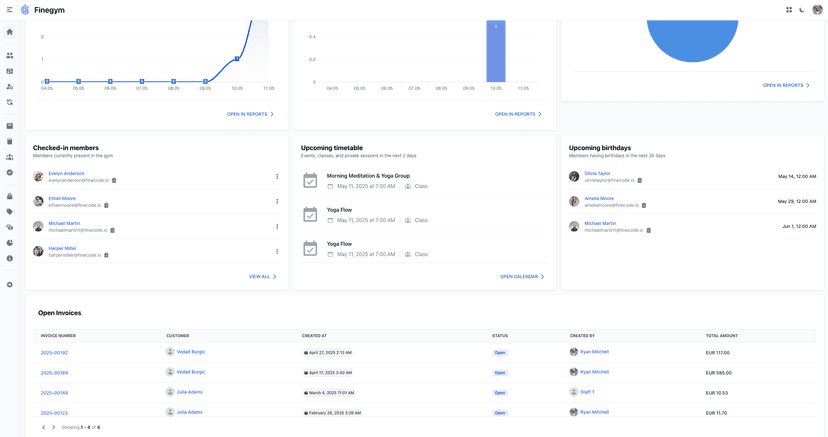
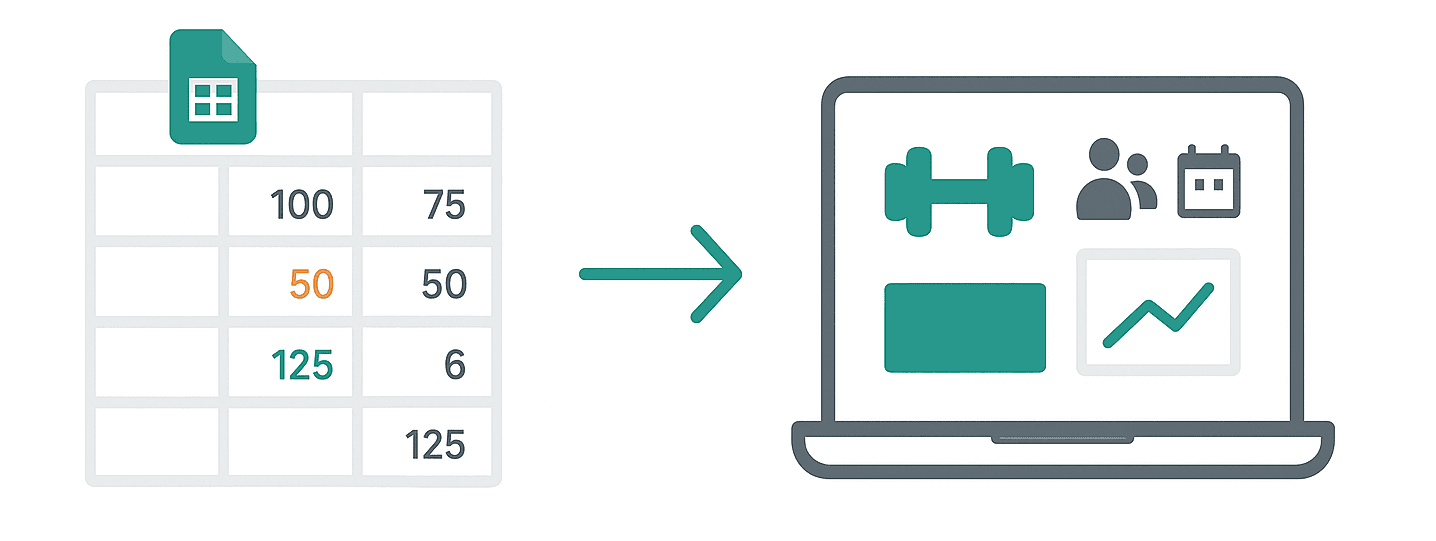
Are spreadsheets holding your gym back? If you're still relying on rows and columns to manage schedules, memberships, payments, and more, you may already be feeling the pinch of inefficiency. Gym management software is revolutionizing the fitness industry, helping businesses simplify operations and grow faster.
Transitioning from spreadsheets to software might feel daunting, but the benefits far outweigh the effort. Whether you're running a yoga studio, a CrossFit box, or a large fitness center, this guide will walk you through the process step-by-step, so you can focus on doing what you love. For businesses considering comprehensive software solutions, understanding gym management software features is essential.
Here's how to move confidently from spreadsheets to a powerful gym management solution.
Why Ditch Spreadsheets for Gym Management Software?
Spreadsheets are great for keeping a list of members or class schedules, but they fall short when it comes to scaling your business. They lack the efficiency, flexibility, and automation offered by gym management software.
The Hidden Costs of Spreadsheet Management
According to industry research, gym owners using spreadsheets spend an average of 8-12 hours per week on manual administrative tasks that could be automated. This translates to roughly 416-624 hours annually - time that could be invested in growing your business and improving member experiences.
Common spreadsheet pain points include:
- Data Inconsistency: Multiple versions of spreadsheets across different computers lead to conflicting information
- Limited Access: Staff can't update member information in real-time without access to specific files
- Security Vulnerabilities: Member payment and personal data stored in unencrypted files
- Scalability Issues: Performance degradation as member databases grow beyond 500-1000 rows
- Human Error: Manual data entry mistakes affecting billing, scheduling, and member communications
The Software Advantage: Measurable Benefits
With professional gym management software, you'll enjoy transformative benefits:
- Centralized Member Databases for quick access to customer records across all devices and locations.
- Automated Billing and Payments, reducing late payments by up to 85% and human error by 95%.
- Streamlined Scheduling to avoid double bookings or missed slots, improving facility utilization by 30-40%.
- Data-Driven Insights for smarter decision-making and growth, with real-time analytics replacing monthly spreadsheet reviews.
- Member Engagement Tools, such as apps and notifications, increasing retention rates by 20-25%.
- Staff Productivity: Reduce administrative tasks by 60-70%, allowing focus on member service and business growth.
Real-World Impact Statistics
Fitness businesses that transition from spreadsheets to dedicated management software typically see:
- Revenue Growth: Increases in revenue due to improved billing accuracy and reduced churn
- Operational Efficiency: Significant reduction in administrative time spent on daily tasks
- Member Satisfaction: Improved member experience scores due to streamlined processes
- Payment Collection: Better on-time payment rates through automated billing systems
If you're ready to modernize your operations, the steps below will ensure a smooth transition.
Step 1: Start with a Data Audit
Before moving to a new gym management platform, it's essential to know what data you already have. This comprehensive audit will determine the scope of your migration and identify potential challenges early.
Core Data Categories to Inventory
Open your spreadsheets and systematically review:
- Membership Information: Names, contact details, membership types, renewal dates, emergency contacts, and member preferences.
- Class Schedules: Current class lists, staff rosters, timings, room assignments, and capacity limits.
- Billing and Payments: Payment history, outstanding dues, invoices, membership fees, and payment methods.
- Staff Data: Employee schedules, certifications, pay rates, and access permissions.
- Facility Management: Locker rentals, equipment inventory, maintenance schedules, and vendor information.
- Marketing Data: Lead sources, promotional codes used, referral tracking, and communication preferences.
Data Quality Assessment Checklist
Now, conduct a thorough evaluation by asking:
- Accuracy: Is this information accurate and up-to-date?
- Completeness: Are there duplicate or missing entries across different spreadsheets?
- Consistency: Do you use standardized formats for dates, phone numbers, and membership types?
- Volume: How many active members, classes, and transactions will you be migrating?
Common Data Issues to Address
Based on industry migration experiences, watch for these frequent problems:
- Duplicate Records: The same member listed multiple times with slight variations in spelling or contact information
- Inconsistent Formatting: Phone numbers stored as (555) 123-4567, 555-123-4567, or 5551234567
- Missing Critical Fields: Members without email addresses, expired credit card information, or incomplete emergency contacts
- Outdated Information: Former members still listed as active, old class schedules, or terminated staff records
Preparing for Clean Migration
Create a standardized format before importing:
- Standardize Data Formats: Use consistent date formats (YYYY-MM-DD), phone number formats, and membership type names
- Remove Duplicates: Use spreadsheet tools to identify and merge duplicate entries
- Update Contact Information: Verify and update member contact details before migration
- Archive Inactive Data: Separate current active members from historical records
✅ Pro tip: Ensure accuracy before importing data. Clean, organized data will make the migration much smoother. Finegym's import validation tools can help identify formatting issues before final data transfer.
Step 2: Choose the Right Gym Management Software
Not all gym management platforms are the same. Look for features that align with your needs, such as:
- Member Management Tools to store and update customer data.
- Class Scheduling Options to manage registrations and avoid conflicts.
- Automated Payments to simplify billing and reduce manual work.
- Reports and Analytics for tracking growth and making informed decisions.
- Member Apps to enhance engagement with easy booking and updates.
Finegym stands out as the ideal solution for gyms transitioning from spreadsheets with these powerful features:
Comprehensive Member Management
- Detailed Member Profiles: Store complete member information including contact details, memberships, payment history, and attendance records all in one place.
- Flexible Membership Plans: Create customizable membership options with different pricing, billing cycles, and check-in limits to suit your business model.
- Digital Documents: Eliminate paper waivers and contracts with integrated digital document signing.
Intuitive Scheduling System
- Unified Calendar: View all classes, appointments, and events in a single, centralized calendar.
- Class Management: Create and manage recurring or one-time classes with customizable capacities and instructor assignments.
- Appointment Scheduling: Book appointments with specific staff members based on their availability.
Streamlined Payments and Billing
- Stripe Integration: Process payments securely through trusted payment processing.
- Automated Billing: Set up recurring payments that process automatically, reducing administrative work.
- Detailed Invoicing: Generate professional invoices with customizable line items and tax rates.
Powerful Member App
- QR Code Check-ins: Provide touchless facility access through members' smartphones.
- Class Booking: Let members browse and book classes directly from their mobile devices.
- Self-Service Account Management: Allow members to view their profile, track attendance, and access membership details anytime.
Data-Driven Insights
- Real-time Dashboard: Monitor key performance indicators like revenue, visits, and membership growth.
- Attendance Reporting: Track facility usage and class popularity to optimize your offerings.
- Revenue Analysis: Identify your most profitable membership plans and services.
❓ What to ask when choosing software:
- Can it scale with my growing business?
- Will it solve my current pain points?
- Is customer support responsive and reliable?
Try Finegym for free to see the difference yourself!
Step 3: Map Out Your Migration Plan
Migrating to gym management software is like starting a new workout regimen. Planning makes all the difference! Here's how to map it out strategically:
Phase 1: Pre-Migration Planning (Week 1-2)
- Set a Realistic Timeline
Plan a 2-4 week migration period depending on your data complexity. Industry best practices suggest:
- Small gyms (under 200 members): 1-2 weeks
- Medium facilities (200-1000 members): 2-3 weeks
- Large operations (1000+ members): 3-4 weeks
Schedule the most critical migration steps during weekends or off-peak times to minimize disruption.
- Choose a Project Lead
Assign someone from your team to oversee the process. The ideal project lead should:
- Have administrative experience with your current systems
- Be comfortable with technology and learning new software
- Possess strong communication skills for coordinating with staff and members
- Have authority to make decisions during the migration process
- Create a Migration Checklist
Develop a comprehensive checklist covering:
- Data backup and verification procedures
- Staff notification and training schedules
- Member communication timeline
- Contingency plans for potential issues
- Go-live testing protocols
Phase 2: Technical Setup (Week 2-3)
- Organize Data for Import
Sort your spreadsheets into clear categories following this priority order:
- Members and Contact Information (highest priority)
- Active Memberships and Payment Details
- Class Schedules and Staff Assignments
- Historical Payment and Attendance Data
- Additional Services (personal training, locker rentals, etc.)
Most professional software, including Finegym, allows bulk uploads in CSV format with field mapping capabilities.
- Establish System Integration
Configure essential integrations:
- Payment Processing: Connect Stripe or your preferred payment gateway
- Email Communications: Set up automated member communications
- Mobile App Setup: Prepare member app access and QR code systems
- Staff Access Permissions: Define role-based access for different team members
Phase 3: Data Migration and Testing (Week 3-4)
Finegym makes this process exceptionally smooth with:
- Guided Data Import Tools: Streamlined import interfaces that map your spreadsheet columns to the corresponding fields in Finegym automatically.
- Data Validation: Built-in checks to identify potential issues like duplicate members, invalid email formats, or missing required fields before finalizing imports.
- Incremental Migration Options: Import data in stages (members first, then memberships, then schedules) for more controlled transitions that allow for testing at each step.
- Rollback Capabilities: Ability to reverse imports if issues are discovered during testing phases.
For detailed migration planning, review our comprehensive data migration guide that covers enterprise-level transitions.
Migration Timeline Example
Week 1: Data audit and cleaning, software selection, staff preparation Week 2: Initial data imports (members and basic information), software configuration Week 3: Complete data migration, system testing, staff training sessions Week 4: Soft launch with staff, member communication, full go-live
✅ Pro Tip: Finegym's dedicated support team guides you through the setup and data migration process, ensuring a smooth transition from spreadsheets. Schedule your migration during a consultation call to receive personalized guidance.
Step 4: Train Your Team
To fully unlock the potential of your software, training is non-negotiable. Schedule hands-on workshops or provide instructional videos for your staff. For efficient training strategies, explore our staff training guide.
Key areas of focus:
- Registering new members.
- Navigating the scheduling system.
- Recording and tracking payments.
- Managing attendance and bookings.
Finegym provides comprehensive training resources including:
- Video Tutorials: Step-by-step visual guides for all major features.
- Knowledge Base: Searchable documentation for quick answers to common questions.
- Role-Specific Training: Tailored guidance for front desk staff, trainers, and administrators.
- Live Support: Expert assistance when you need it most.
✅ Pro Tip: Finegym's intuitive interface minimizes training time, with most staff becoming proficient within a single training session.
Step 5: Roll Out Software to Members
Once you're confident in your team's abilities, introduce the software to your members. Highlight the benefits, such as mobile app access for booking classes or receiving reminders about payments and gym events.
Use communication channels like:
- Email campaigns.
- Social media posts.
- Flyers at reception.
Finegym's member app makes this transition particularly exciting for members with:
- Easy Registration: Simple process for members to download the app and access their account.
- Familiar Information: All their membership details, schedules, and payment information available at their fingertips.
- Contactless Check-in: The popular QR code feature that eliminates the need for membership cards.
Provide walkthrough guides or tutorials to make it effortless for your members to adapt.
💡 Example:
"Exciting News! [Gym Name] is upgrading to Finegym. Access your bookings and payments all in one place, plus enjoy contactless check-in with our new app. Download it today!"
Get started for free and give your members the app!
Step 6: Monitor, Optimize, and Grow
Congratulations! You're now running your business on a modern platform. But the work doesn't stop here. The real value comes from leveraging your new system's capabilities to drive continuous improvement and growth.
First 30 Days: Monitor and Adjust
Focus on these key performance indicators during your first month:
- System Adoption Rates: Track how quickly staff and members embrace the new platform
- Data Accuracy: Verify that imported information is displaying and functioning correctly
- Process Efficiency: Measure time savings in daily administrative tasks
- Member Satisfaction: Monitor feedback regarding the new check-in process and mobile app experience
Ongoing Optimization Strategies
Use these strategies to continuously improve your operations:
- Regularly Review Analytics: Schedule weekly reviews of Finegym's dashboard to identify trends, peak usage times, and growth opportunities
- Automate Repetitive Tasks: Implement workflows for membership renewals, payment reminders, and class confirmations
- Leverage Marketing Tools: Use built-in email marketing and member communication features to drive engagement and reduce churn
- Optimize Pricing Strategies: Analyze member usage patterns to adjust membership tiers and pricing for maximum profitability
Advanced Finegym Features for Growth
Finegym's comprehensive reporting and analytics features specifically help you:
- Track Conversion Metrics: Monitor improvements in key areas like membership sign-ups and retention since moving from spreadsheets, with detailed month-over-month comparisons
- Identify Revenue Opportunities: Discover underutilized services, high-demand class times, and optimal pricing points through detailed usage analytics
- Optimize Staff Scheduling: Use attendance data and class popularity metrics to ensure appropriate staffing during peak times, reducing labor costs by 15-20%
- Member Lifecycle Management: Track member engagement patterns to proactively address at-risk members and improve retention rates
- Financial Performance: Access real-time revenue tracking, membership growth trends, and profitability analysis by service type
Measuring Success: Key Metrics to Track
Monitor these essential business metrics that typically improve after migration:
- Administrative Time Savings: Target 40-50% reduction in daily administrative tasks
- Payment Collection Efficiency: Aim for 90%+ on-time payment rates through automated billing
- Member Retention: Track monthly churn rates and member lifetime value improvements
- Staff Productivity: Measure tasks completed per hour and overall operational efficiency
- Revenue Growth: Monitor monthly recurring revenue and new member acquisition costs
Long-term Growth Strategies
As you become comfortable with your new system, explore these advanced growth opportunities:
- Multi-location Management: If expanding, leverage Finegym's multi-site capabilities for centralized management
- Advanced Reporting: Use custom reports to analyze member demographics, class profitability, and seasonal trends
- Integration Expansion: Connect additional business tools like accounting software, marketing platforms, and specialized fitness equipment
- Member Experience Enhancement: Implement advanced features like online personal training booking, nutrition tracking, and community features
Your new gym management software isn't just a tool; it's a partner in your business growth. The data insights, automation capabilities, and member engagement tools provide a foundation for sustainable expansion and improved profitability.
Get started for free and explore advanced Finegym features that can further accelerate your business growth.
Final Thoughts
Transitioning from spreadsheets to gym management software can seem intimidating, but it's a step toward efficiency, growth, and long-term success. With the right tools and approach, you'll not only save time but also deliver a better experience for your members.
Finegym stands out as the premier solution for fitness businesses ready to upgrade from spreadsheets. Our comprehensive platform combines powerful management tools with an intuitive interface, making the transition smoother than you'd expect.
Ready to streamline your operations, improve member engagement, and access data insights that drive growth? Start your free trial today and reinvest your time into what truly matters: your passion for fitness.