Important Note: This article provides general guidance on developing online coaching applications and is meant as an educational resource for fitness businesses considering custom app development. The features discussed in this article, such as video-based workout plans, online coaching, and specialized progress tracking tools, are not all currently implemented in Finegym. Finegym offers core functionalities like scheduling and membership management but is not specifically designed as an online coaching platform with all the features described here. Please contact our team for specific information about Finegym's current capabilities.
The rise of online coaching apps has revolutionized how fitness enthusiasts interact with trainers and how businesses manage their coaching services. According to recent industry research, the global fitness app market is projected to reach $15.96 billion by 2026, with online coaching representing one of the fastest-growing segments. For gym owners, studio managers, and fitness entrepreneurs, creating an online coaching app isn't just about adapting to industry trends; it's about staying competitive in an increasingly digital space where 73% of consumers prefer mobile-first fitness experiences.
The COVID-19 pandemic accelerated this digital transformation, with virtual fitness participation increasing by 278% in 2020 alone. This shift has created lasting changes in consumer behavior, making online coaching apps not just a temporary solution but a permanent fixture in the fitness landscape. For fitness professionals looking to transition into this space, understanding how to build a successful online fitness coaching business is essential.
This guide will walk you through everything you need to know about developing an online coaching app. From understanding the essential requirements to implementing practical features, we'll cover every detail to ensure you have an app that delights users and drives long-term growth. For context on current industry trends, explore our comprehensive online personal training guide to understand the evolving landscape.
Why Develop an Online Coaching App?
Before we jump into the technical aspects, it's essential to understand why developing an online coaching app is worth the investment. Here's what's driving the demand:
- Convenience and Accessibility: Online coaching apps provide users with access to personalized training anytime, anywhere, eliminating barriers like location or scheduling conflicts. Studies show that 84% of users prefer apps that offer flexible scheduling and on-demand access to their trainers.
- Scalability for Trainers and Businesses: Unlike traditional 1-on-1 sessions, coaching apps allow trainers to manage more clients simultaneously, increasing revenue potential without overloading staff. Successful trainers using coaching apps report managing 3-5x more clients than through in-person sessions alone.
- Enhanced Engagement: Features like reminders, progress tracking, and video tutorials boost user engagement and retention. Apps with robust engagement features see 67% higher client retention rates compared to basic scheduling-only platforms. As artificial intelligence continues to evolve, AI personal trainers are becoming an increasingly important consideration for future-focused coaching applications.
- Data and Analytics: Coaching apps offer rich insights for trainers and managers, enabling data-driven decisions to improve both performance and business strategies. Businesses using data analytics in their coaching apps report 40% better client outcomes and 25% increase in session completion rates.
- Revenue Diversification: Online coaching opens new revenue streams including subscription-based training plans, digital product sales, and tiered coaching packages that can generate passive income.
Market Opportunity
The numbers speak for themselves:
- 87% of fitness businesses that adopted digital coaching during 2020-2021 continue to offer these services
- $4.4 billion in revenue generated by fitness apps in 2021
- 76% of personal trainers report that online coaching has increased their income
- Average client lifetime value increases by 35% when businesses offer both in-person and digital coaching options
Developing an online coaching app positions your business as a tech-forward solution with unmatched value for both customers and staff. But where do you start?
Requirements for Developing an Online Coaching App
A successful online coaching app needs a clear roadmap. Here are the critical steps to gather requirements:
1. Define Your Target Audience
Understanding who you're building the app for is crucial. Are your target users gym members looking for training routines, fitness trainers managing multiple clients, or both? Pinpoint their needs, challenges, and goals.
Primary User Types:
Fitness Enthusiasts:
- Age range: 25-45 (primary demographic)
- Seeking convenience and personalization
- Value progress tracking and accountability
- Prefer mobile-first experiences
Personal Trainers and Coaches:
- Need client management tools
- Require scheduling and payment processing
- Want to scale their services beyond physical limitations
- Value data insights on client progress
Gym Owners and Studio Managers:
- Focus on member retention and engagement
- Need integration with existing systems
- Require staff management capabilities
- Interested in revenue optimization
Ask questions like:
- Do they need structured programs like yoga classes or CrossFit routines?
- Are they seeking features like appointment booking or progress tracking?
- Is customization more important, or do they prefer ready-made templates?
- What's their average budget for fitness services per month?
- How tech-savvy is your audience?
2. Determine Core Objectives
Establish the goals of your app early in the planning stage. Examples:
- Enable trainers to track client progress easily.
- Allow users to receive personalized workout plans.
- Provide features like appointment scheduling or class reservations.
Having clear objectives ensures your app remains focused and user-centric.
3. Identify Technical & Performance Requirements
- Cross-Platform Compatibility: Will the app be available on Android, iOS, and web browsers? Cross-platform development ensures maximum user reach.
- Scalability: If you're expecting substantial growth, build with scalability in mind to handle more users without performance issues.
- User Security: Fitness apps often store sensitive info like health data. Ensure compliance with relevant laws, like GDPR or HIPAA.
4. Budget Considerations
Developing a coaching app from scratch requires a realistic budget. Costs vary depending on features, development hours, and whether you use in-house developers or hire from a software agency.
Typical Development Costs:
Basic MVP (3-6 months):
- $50,000 - $100,000 for essential features
- User registration, basic scheduling, payment processing
- Simple progress tracking and messaging
Mid-Range App (6-12 months):
- $100,000 - $250,000 for comprehensive features
- Advanced analytics, video integration, custom workouts
- Multi-platform deployment, admin dashboards
Enterprise Solution (12+ months):
- $250,000 - $500,000+ for full-featured platform
- AI-powered recommendations, white-labeling options
- Advanced integrations, scalable infrastructure
Ongoing Costs to Consider:
- Hosting and Infrastructure: $500-$5,000/month depending on users
- App Store Fees: 30% of revenue for Apple/Google
- Payment Processing: 2.9% + $0.30 per transaction (Stripe)
- Maintenance and Updates: 15-20% of development cost annually
- Marketing and User Acquisition: $50-$200 per user
Must-Have Features for an Online Coaching App
An effective online coaching app incorporates functionality to attract and retain users. Below are essential features and their practical benefits:
1. User Profiles and Dashboards
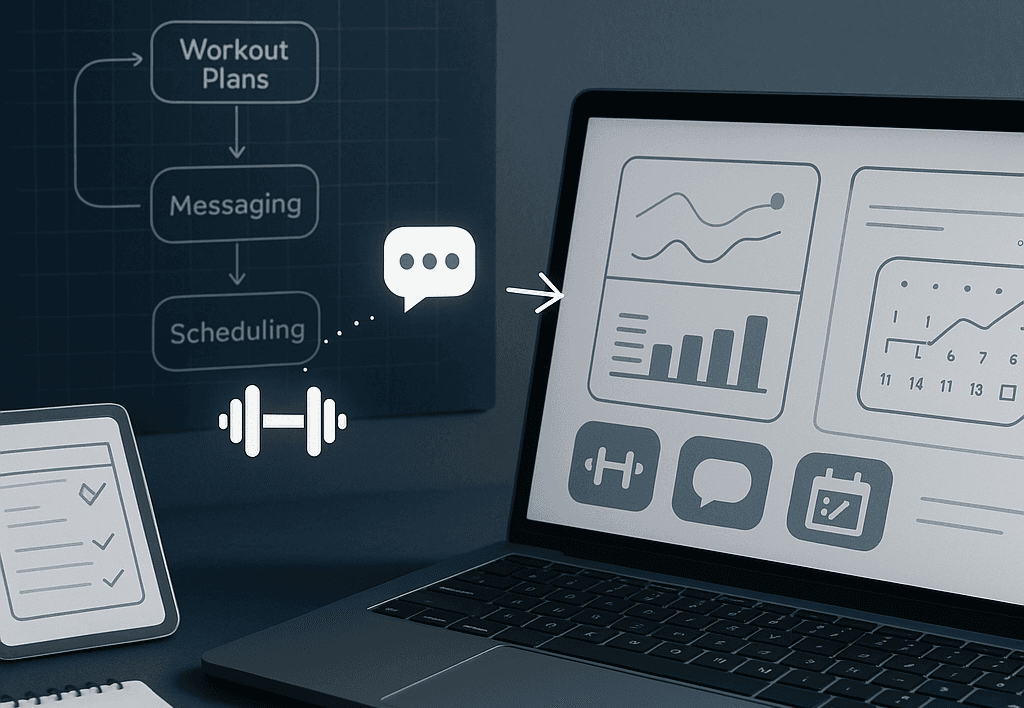
Offer users and trainers customized dashboards where they can track progress, access schedules, or update personal data. Dashboards create a user-centric experience that fosters engagement.
2. Workout and Training Plans
Include a system for delivering workout plans. Trainers should have the ability to:
- Create programs tailored to individual users.
- Provide clear instructions with video demonstrations.
- Adjust plans based on user feedback and progress data.
- Template common workout structures for efficiency.
- Set progressive overload protocols automatically.
Advanced Training Features:
- Video Library Integration: Pre-recorded exercise demonstrations with proper form cues
- Custom Exercise Builder: Allow trainers to add specialized movements specific to their methodology
- Program Templates: Save time with pre-built program frameworks for common goals (weight loss, strength, etc.)
- Periodization Tools: Plan training cycles and automatically adjust intensity over time
3. Scheduling and Appointments
Make it easy for members to book time with trainers:
- Appointment Booking: Allow members to schedule sessions with available trainers.
- Class Reservations: Enable registration for group classes and activities.
- Schedule Management: Give trainers tools to manage their availability and appointments.
4. Progress Tracking
Give users a way to see their achievements with progress reports and milestones. Progress tracking also helps trainers fine-tune coaching strategies.
Essential Tracking Metrics:
- Body Composition: Weight, body fat percentage, muscle mass
- Performance Metrics: Strength improvements, endurance benchmarks, personal records
- Behavioral Data: Workout consistency, session completion rates, goal adherence
- Subjective Measures: Energy levels, sleep quality, motivation scores
Visualization Tools:
- Progress Charts: Visual graphs showing improvement over time
- Before/After Photo Comparisons: Side-by-side image tracking
- Achievement Badges: Gamification elements to maintain motivation
- Goal Setting and Milestone Alerts: Automated celebrations when targets are reached
5. Push Notifications & Reminders
Keep users engaged by sending workout reminders, appointment notifications, or updates about new classes. Notifications help reduce drop-off rates and boost retention.
6. Payment Processing
For seamless membership plans or one-off session purchases, integrate secure payment gateways. Support multiple currencies and payment methods to enhance user experience.
7. Messaging Tools
Enable communication between users and trainers through in-app messaging. Clear communication builds relationships and increases client satisfaction.
8. Class and Event Management
Provide tools to organize and promote fitness classes:
- Class Scheduling: Create recurring or one-time classes.
- Capacity Management: Set and monitor class sizes.
- Reservation Tracking: Keep track of who's registered for each session.
Implementation Guide for Your Coaching App
Developing and launching an app involves meticulous planning. Follow these steps to execute your vision:
1. Choose the Right Development Team
Decide whether you'll build your app in-house, outsource to a development agency, or use ready-made platforms. For heavy customization, a dedicated team might be the best choice.
Development Options Comparison:
In-House Development:
- Pros: Full control, deep product knowledge, long-term asset
- Cons: Higher upfront costs, longer recruitment time, ongoing salary commitments
- Best for: Companies with $500K+ budgets and long-term app strategy
Development Agency:
- Pros: Experienced team, faster time to market, predictable costs
- Cons: Less control, potential communication challenges, ongoing dependency
- Best for: Most fitness businesses seeking custom solutions
No-Code/Low-Code Platforms:
- Pros: Rapid deployment, lower costs, easy modifications
- Cons: Limited customization, scaling constraints, ongoing subscription costs
- Best for: Quick MVPs and simple coaching apps
Key Team Roles Needed:
- Project Manager: Coordinates development and ensures timeline adherence
- UI/UX Designer: Creates intuitive interfaces optimized for fitness workflows
- Mobile Developers: iOS and Android native or cross-platform expertise
- Backend Developer: Server infrastructure, APIs, database management
- QA Engineer: Testing across devices and edge cases
2. Create an MVP (Minimum Viable Product)
Start small by launching an MVP with essential features. Use this version to gather user feedback and validate your concept before scaling.
3. Focus on UX/UI Design
Invest in intuitive interfaces that are visually appealing and easy to navigate. A sleek design ensures users feel confident and comfortable using your app.
4. Test Before You Launch
Run rigorous testing processes, including:
- Functional Testing
- Performance and Load Testing
- Security Testing
Ensure the app runs smoothly under various conditions before rolling out to the public.
5. Deploy and Market the App
Once you're confident in your product:
- Release on app stores (Apple App Store, Google Play, etc.).
- Launch a marketing campaign targeting your intended audience using social ads, influencer partnerships, email, and blog outreach.
Next Steps: Consider Finegym for Your Fitness Business Needs
Developing a custom online coaching app from scratch can be time-consuming and expensive. Before embarking on this journey, consider whether an existing solution like Finegym already meets your core business needs.
How Finegym Supports Coaching and Training Management
Finegym provides a comprehensive platform with many essential features needed for effective coach-client management:
Staff and Member Management
- Detailed Member Profiles: Track client information, attendance history, and membership details in centralized profiles
- Staff Management: Manage coach schedules, permissions, and availability for appointments
- Digital Documents: Create and manage waivers and policy documents with electronic signatures
Scheduling and Appointments
- Appointment Management: Schedule one-on-one coaching sessions with specific staff members
- Class Booking System: Enable clients to book into group training sessions through the mobile app
- Calendar Integration: Access a unified calendar view of all scheduled classes and appointments
- QR Code Check-ins: Track attendance at sessions with quick and efficient check-in processes
Client Engagement
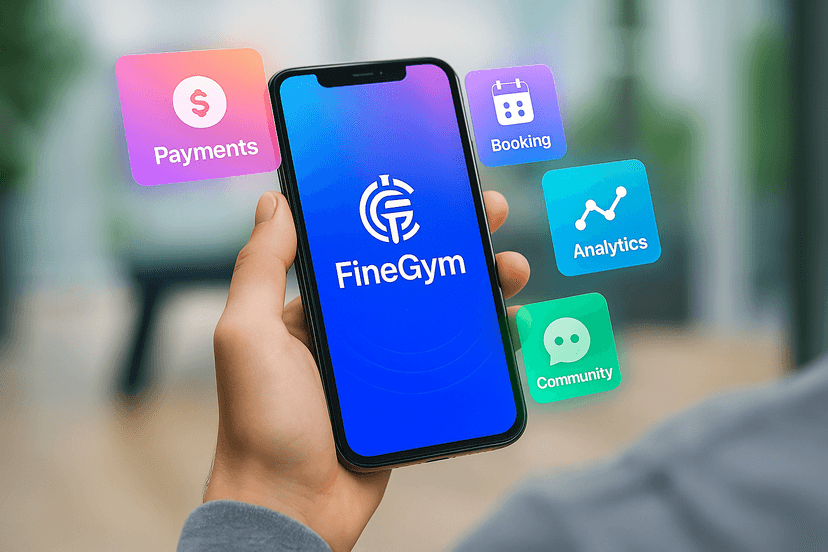
- Mobile App for Clients: Provide a dedicated mobile application where clients can book sessions, manage their profile, and access their check-in QR code
- Email Communication: Use customizable email templates for client communication
- Document Sharing: Distribute workout plans, nutrition guides, or policies through the document management system
Business Operations
- Flexible Membership Plans: Create and manage different membership types (recurring, one-time, punchcard) to match your coaching packages
- Secure Payment Processing: Handle payments and recurring billing through integrated Stripe processing
- Business Analytics: Make data-driven decisions with insights into attendance, revenue, and client engagement
While Finegym may not include specialized features like video-based workout plans or advanced progress tracking for individual exercises, it provides the essential business infrastructure that fitness coaching businesses need to operate efficiently.
For many fitness businesses, starting with a solution like Finegym that handles the core operational needs (scheduling, payments, client management) creates a solid foundation. You can then explore integrations or custom development only for specialized features unique to your coaching approach.
Making the Build vs. Buy Decision
Before committing to custom development, evaluate whether existing solutions meet your needs:
When to Build Custom:
- Your coaching methodology requires unique features not available elsewhere
- You need extensive white-labeling and branding control
- You have significant budget ($100K+) and development timeline (12+ months)
- Your business model depends on proprietary algorithms or AI features
When to Use Existing Solutions:
- You need core business operations (scheduling, payments, member management)
- Budget is under $100K or timeline is under 6 months
- You want to test market demand before major investment
- Integration with existing gym management systems is priority
For businesses focused on coaching operations rather than app development, platforms like Finegym provide essential infrastructure including member management, staff scheduling, QR check-in systems, Stripe payment processing, mobile apps, and business analytics. This allows you to focus on what you do best - coaching clients - while leveraging proven technology for the business operations.
Getting Started Today
Whether you choose custom development or an existing platform, the key is starting with a clear understanding of your core business needs. Get started for free with Finegym today to see how our platform can support your coaching services and free up your time to focus on growing your client base.
Ready to explore your options? Sign up for a free trial and discover how the right technology foundation can transform your coaching business.